OpenMusic Vocal Remover & Stem Splitter
Overview
OpenMusic provides flexible audio separation tools that let you break songs into usable parts for remixing, practice, or karaoke. Depending on your goal, you can either remove vocals or extract multiple stems from a single track.
Tools Explained
- AI Vocal Remover: Designed to isolate vocals or create clean instrumental versions.
- AI Stem Splitter: Splits a full mix into several components, such as vocals, drums, bass, and other instruments.
Both tools are optimized for fast processing and simple control.
How to Separate Audio
Select your separation option
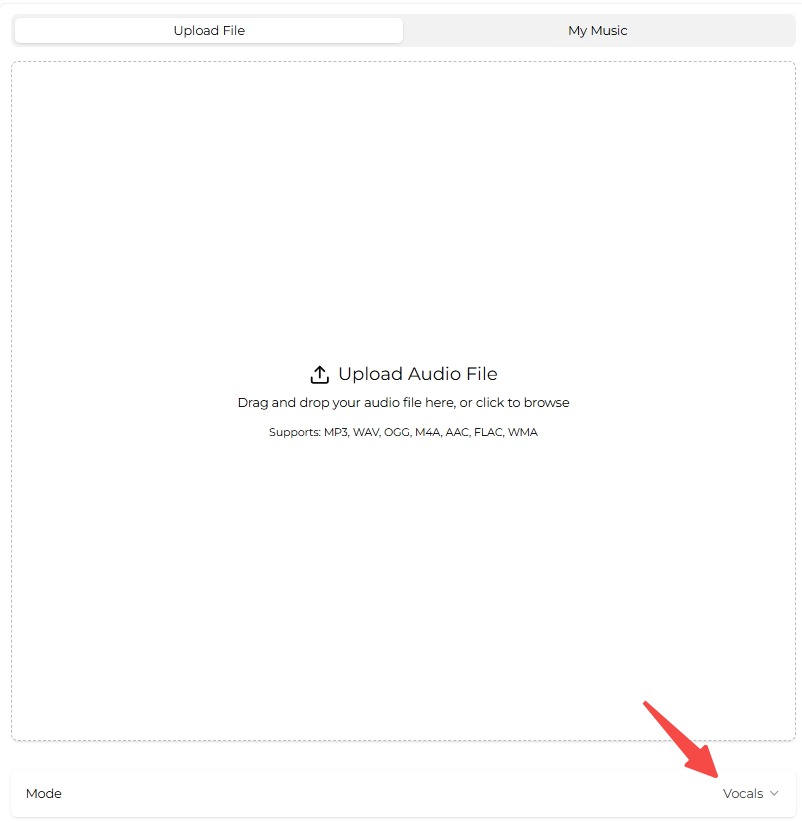
Start by opening AI Vocal Remover or AI Stem Splitter. The interface loads directly in the selected mode. If needed, you can switch modes later using the “Mode” selector.
Add a track and process
Upload an audio file from your device or choose an existing track from My Music in your workspace. Once selected, begin the separation process. Results are typically available within 1–2 minutes.
Review results and export
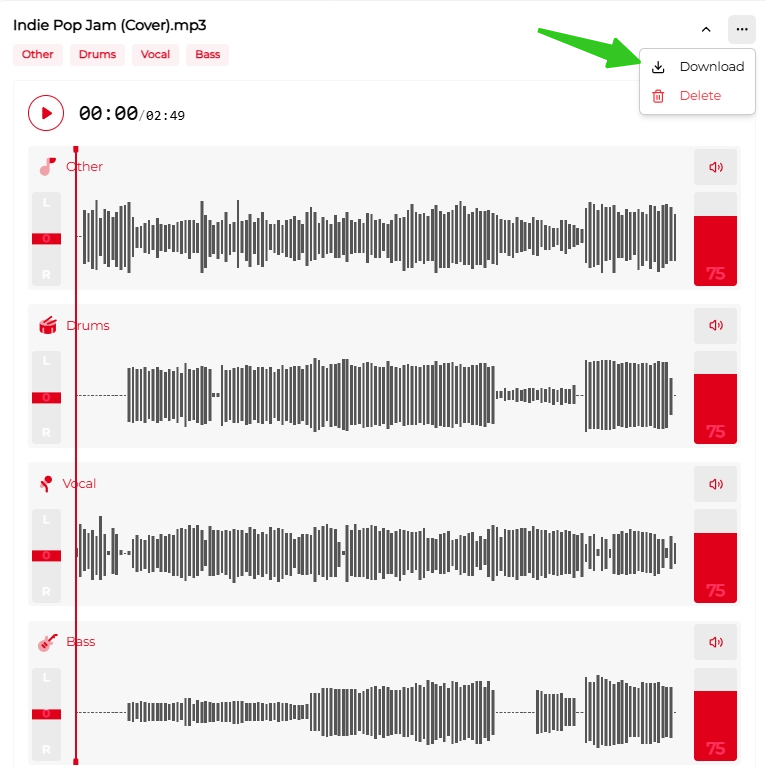
After processing, separated tracks appear in the History panel on the right side. Preview each stem and adjust volume levels to check balance and clarity.
When ready, open the three-dot menu in the top-right corner and download your files.