Rap AI for Friendly Battles and Hype Tracks
Rap AI is at its best when it is a little bit silly. A rap battle between two departments before the holiday party, a roast for a best friend's birthday, a hype track for your five-a-side team, or a showdown between two characters from your own story: these are the songs people actually share.
Here is how to set up two sides, trade verses that land, and keep the whole thing playful so everyone in the room laughs, including the people being roasted. On OpenMusic, the AI rap generator writes rap lyrics from your topic first, then turns them into a rap track.
Fun Ways to Use Rap AI
The formats that work best all have a clear audience and a clear target. A battle needs two sides that know each other well enough to trade friendly shots. A roast needs one person who is happy to be the center of attention.
A hype track needs a team, an event or a goal to rally around. Pick the format first, because it decides how rap AI splits the verses, who gets the last word and how sharp the jokes can be. Keep every target someone in the room, a fictional character or a rivalry you invented yourself.
Two sides, one stage
Sales versus marketing, cats versus dogs, morning people versus night owls.
One willing target
A birthday or farewell rap built on gentle, shared jokes.
Team anthem
A walk-out track for a match, a launch day or a hackathon.
Character showdown
Two characters from your own game, book or campaign trading verses.
Setting Up a Rap Battle With Rap AI
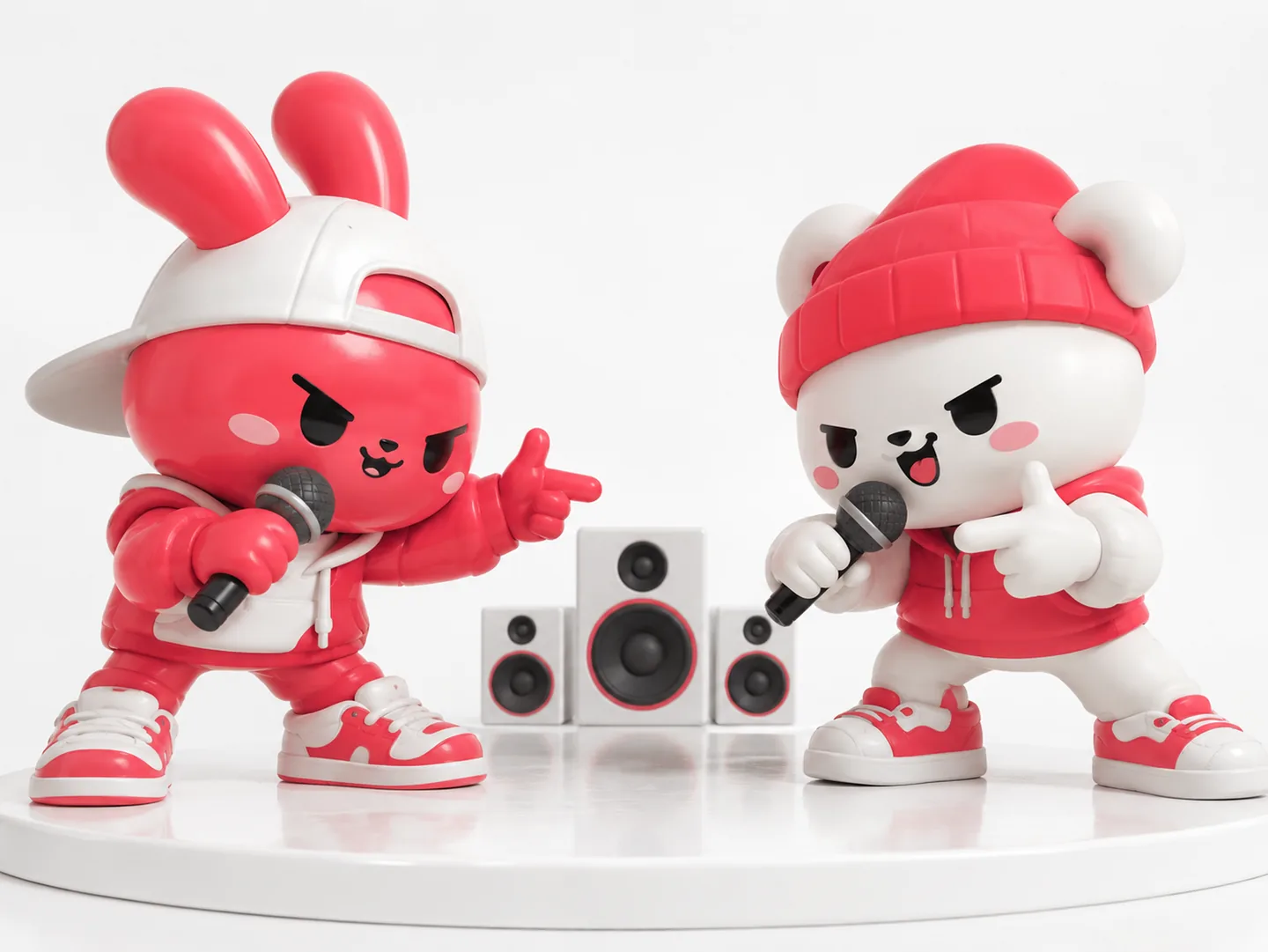
A good battle is mostly planning. Before you write a single prompt, decide who the two sides are, what each one is proud of and what the other side always teases them about. Those details become the punchlines rap AI works with. Then decide the shape: one verse each, or a back-and-forth that ends with a shared chorus.
A short, tight battle is more fun to replay than a long one. With rap AI handling the rhymes and the beat, your job is simply to bring the jokes and the details that only your group would recognize.
Name both sides
Give each side a name and two or three traits everyone recognizes.
Collect the jokes
Shared memories and harmless habits make the best lines.
Write one side at a time
Generate each verse with rap AI or write it yourself, with its own topic so the voices stay distinct.
End on common ground
A closing line that brings both sides together keeps it friendly.
Draft battle verses for both sides in one place, then rewrite the jokes yourself using free credits after a quick sign-up.
Roast Rules That Keep Rap AI Fun
The difference between a roast people love and one that goes wrong is usually the target and the tone. Tease habits, choices and running jokes, not things people cannot change. Keep real public figures out of it, and never ask for lines that could read as a real accusation.
- Do not ask rap AI to copy a real rapper's voice or style either; describe the energy you want instead, such as confident, playful or dramatic.
- When in doubt, read the lyrics out loud to the person being roasted before you share the track. If they laugh, you are good.
Because rap AI handles the rhymes and the beat, it is worth spending your own time on getting the jokes right rather than on the music itself.
| Topic | Avoid | Use instead |
|---|---|---|
| Target | Real public figures or strangers | Friends, teams or your own characters |
| Jokes | Looks, money, private matters | Habits, quirks, shared memories |
| Voice | A famous rapper's style by name | An emotion and a rap style setting |
| Ending | A final insult | A line both sides can cheer |
Use the sample to get a feel for how a rap AI track sounds before you plan your own battle. Notice how much the delivery depends on the words: short lines with clear rhymes land harder than long, crowded ones. When you write the topic for each side, keep the punchlines short and put the strongest joke at the end of the verse, where it has room to breathe.
Inside the OpenMusic AI Rap Generator
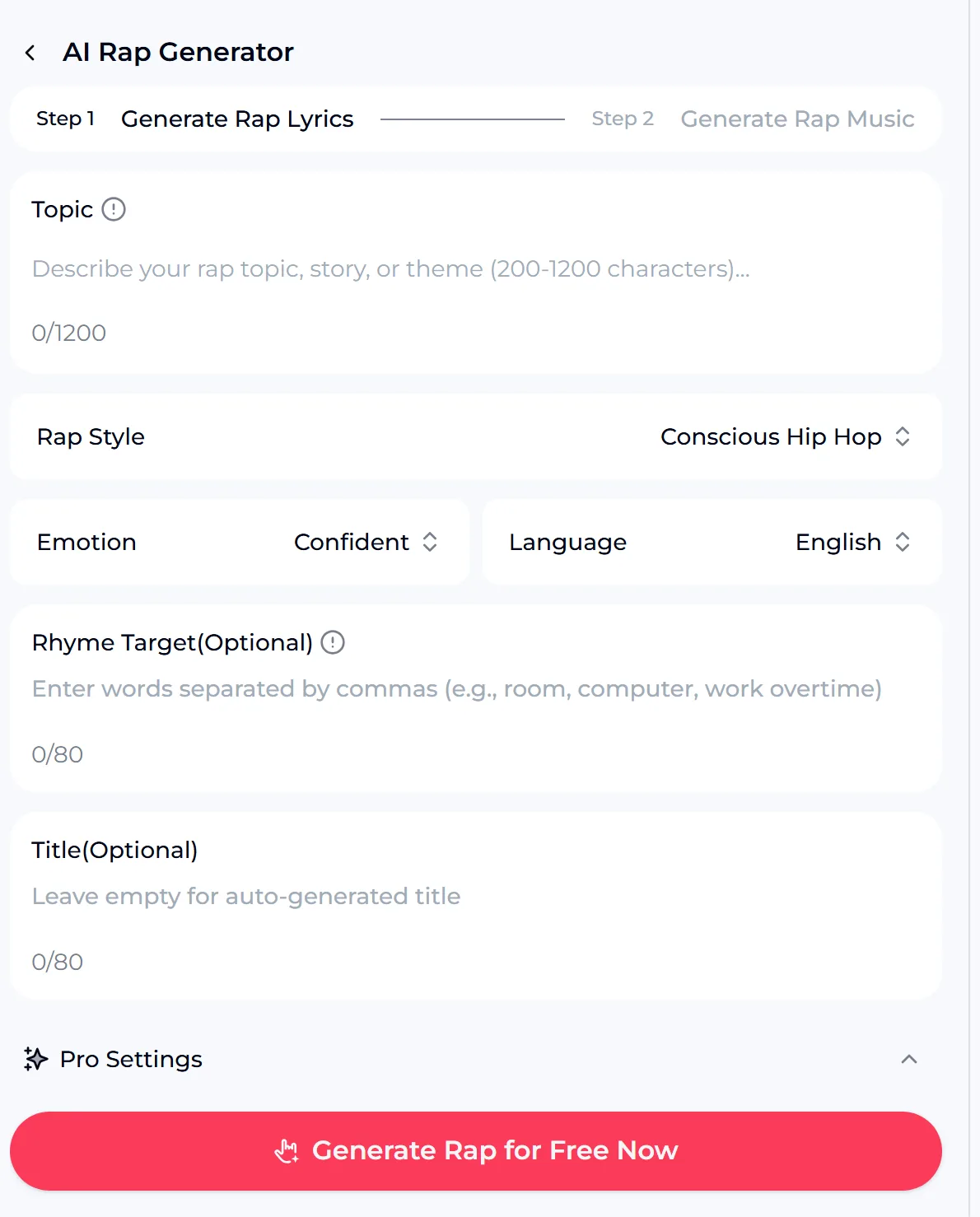
On OpenMusic, rap AI works in two steps. Step 1 generates the lyrics and Step 2 turns them into rap music. Describe the topic, story or theme in the Topic box, which takes 200 to 1200 characters, so there is room for both sides of a battle and their jokes.
Choose a Rap Style, an Emotion and a Language, add optional Rhyme Target words you want the verses to hit, and give the track a title or leave it empty for an automatic one. Pro Settings hold extra options such as point of view, tempo, rhyme focus and profanity level.
- Steps
- Generate Rap Lyrics, then Generate Rap Music
- Settings
- Topic, Rap Style, Emotion, Language
- Optional
- Rhyme Target, Title, Pro Settings
Making the Battle Sound Great
Once rap AI has written both verses, a few small changes make the track much more fun to hear. Use Rhyme Target words for the names of both sides so they come up in the rhymes. Set the profanity level in Pro Settings to match where the track will be played, from a family party to a group chat.
If you want a custom instrumental under your own recorded verses, the rap beat maker is the place to start. Then plan the reveal: play the battle once at the event, with both sides in the room.
Put names in the rhymes
Add both side names as Rhyme Target words.
Match the room
Set the profanity level for the audience.
Generate a few takes
Pick the one where the punchlines land cleanly.
Crown a winner
Let the room vote after the track plays.

Credits and the Commercial License
Keep roasts about willing friends, teams or fictional characters. Do not target real public figures or imitate real rappers.
You get free credits after a quick sign-up, and the credit cost is shown on the generate button. Rap tracks you create on OpenMusic can be released and monetized within the scope of the Commercial License, so a battle that turns out great can be shared beyond the group chat.
If you upload or reuse someone else's recording as part of a track, the rights to that recording stay with its owner.
Rap AI Questions
Can I make a rap battle between two characters?
Yes. Describe both sides in the rap AI topic box, or write each verse separately and generate.
Can it rap like a famous rapper?
No. Rap AI on OpenMusic uses a Rap Style and Emotion instead of a real artist's name.
Can I control explicit language?
Yes. Rap AI Pro Settings include a profanity level option.
Is it free?
You can try rap AI with free credits after a quick sign-up, and the cost is shown on the generate button.
Can I use the result commercially?
Rap tracks made on OpenMusic can be used within the scope of the Commercial License.
Start Your Friendly Rap Battle
Use rap AI to turn your group's best inside jokes into a rap battle everyone will replay, and try it with the free credits you get after a quick sign-up.