Stem Splitter for Practice and Transcription
Learning a song by ear is hard when the part you want is buried under everything else. A stem splitter pulls a finished song apart into separate parts, so you can solo the bassline, mute the drums or hear the vocal on its own. That makes practicing, transcribing and studying arrangements far easier, as long as you know what splitting can and cannot pull apart.
OpenMusic's browser tool for this is the AI stem splitter.
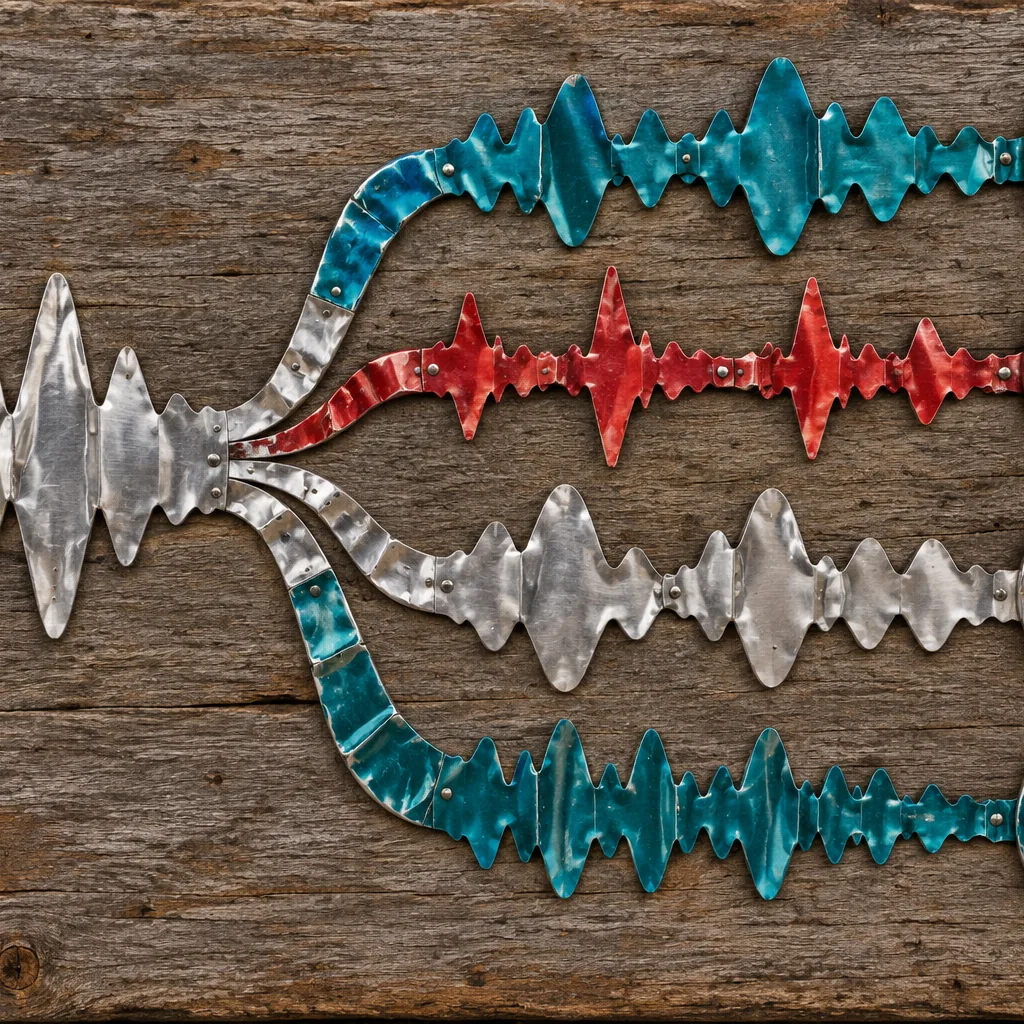
Hear One Part Clearly With a Stem Splitter
Players on forums keep asking the same thing: how do I isolate the bassline in a song so I can learn it? Before AI separation, the usual answer was to boost a frequency band and squint at the result.
A stem splitter gives you the part itself. Once a song is split, you can loop a tricky fill, slow your practice down around it and check every note against the isolated track instead of guessing through a full mix.
Learn the bassline
Solo the bass to hear every note that the kick drum and guitars usually hide.
Study the groove
Listen to the drum part alone to catch ghost notes, fills and hi-hat patterns.
Learn the melody
Hear the lead vocal on its own to work out the tune and phrasing.
Mute your part
Drop the part you play and perform over the rest of the band.
A Simple Practice Routine With Split Stems

Splitting a song is only the first step. The real value comes from how you use the separated parts. This routine works for bass, drums, guitar, keys or voice, and it keeps the original song in the picture so you never lose track of how your part fits.
Split the song
Add a song you have the rights to use and separate it.
Listen to your part alone
Play the isolated part several times before touching your instrument.
Play along with the part
Match it note for note, section by section.
Mute it and play the rest
Now perform your part over the other stems.
Use the AI vocal remover to get a clean vocal and an instrumental in one run, without splitting every stem.
What a Stem Splitter Cannot Pull Apart
A stem splitter separates broad parts of a song. It does not take apart everything inside each part, and it helps to know this before you start a transcription. Another common forum question is whether a splitter can separate the harmonies in a song, or isolate one unusual instrument such as a xylophone.
Those requests go beyond what broad stem separation is designed to do, so plan around them. Knowing the limits up front saves hours of frustration, because you can choose the right listening strategy for each part before you begin writing anything down.
| What you want | What to expect | Workaround |
|---|---|---|
| Bass, drums or lead vocal | The core job of a stem splitter | Split and solo the part |
| Stacked vocal harmonies | Usually stay together in the vocal stem | Transcribe the top line, then listen for the others |
| One piece of a drum kit | Stays inside the drum stem | Loop the drum stem and listen closely |
| A rare or unusual instrument | May land in an other stem with similar sounds | Use the other stem as a guide, then check by ear |
How the OpenMusic AI Stem Splitter Works
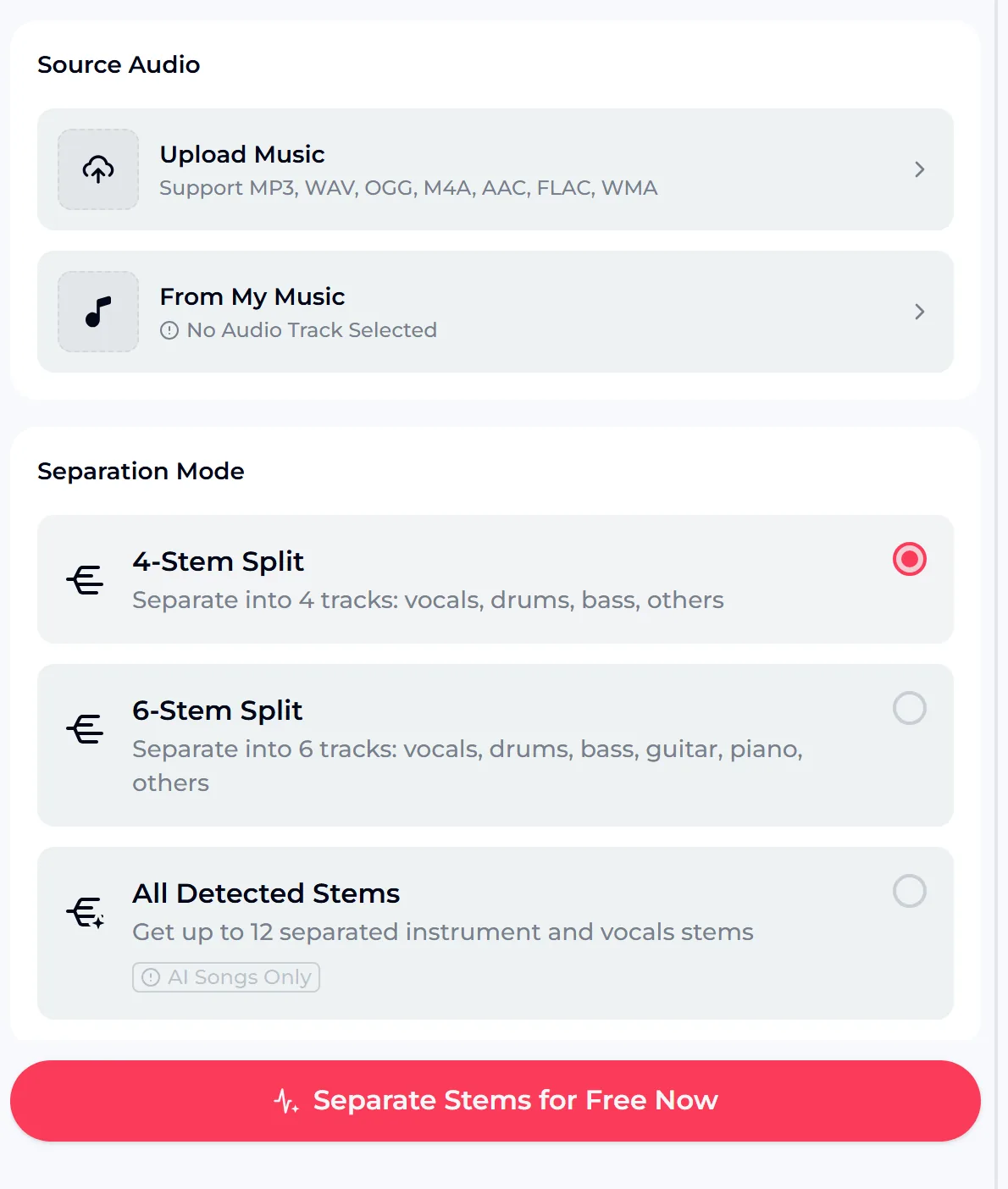
The AI stem splitter keeps the steps short. Under Source Audio you upload a song or choose one you made on OpenMusic.
Under Separation Mode the AI Stem Splitter offers 4-Stem Split (vocals, drums, bass, others), 6-Stem Split (vocals, drums, bass, guitar, piano, others) and All Detected Stems, which gets up to 12 separated instrument and vocals stems for AI songs only. Then you press the button and listen to each part.
- Source Audio
- Upload Music or From My Music
- Formats
- MP3, WAV, OGG, M4A, AAC, FLAC, WMA
- Separation Mode
- 4-Stem Split, 6-Stem Split, All Detected Stems (up to 12, AI songs only)
- Where it runs
- Your browser, on phone or desktop
Getting More From Stems When You Transcribe
Transcribers use stems differently from players. The goal is not to play along but to write down exactly what happens, bar by bar. These habits make that work faster and more accurate, whatever instrument you are notating.
Map the song first
Listen to the full mix and mark sections before you open any stem.
One stem per pass
Transcribe the bass, then the drums, then the melody, instead of everything at once.
Check against the mix
Some sounds bleed between stems, so confirm odd notes in the original song.
Keep the voice for melody
For the vocal line, the vocal extractor gives you the voice on its own.

Copyright, Credits and Licensing
Splitting a song does not change who owns it. Original songs remain the property of their rights holders, so practicing and studying is one thing, but get permission before you publish covers, remixes or sample packs made from someone else's music.
OpenMusic tools use credits. A free account gets 30 credits a year, and each feature's credit cost is shown on its generate button. Songs made on a free account can be downloaded later with credits, along with a Commercial License.
With a license, you can release and monetize your songs within the scope of the Commercial License. Uploaded songs remain the property of their rights holders, so only process audio you have the right to use.
Stem Splitter Questions
Can I isolate just the bass or the drums?
Yes. Split the song with the AI Stem Splitter using 4-Stem Split or 6-Stem Split, then listen to the bass or drum stem on its own.
Can a stem splitter separate harmonies or single instruments?
Not reliably. Harmonies usually stay together in the vocal stem, and individual drums or rare instruments stay inside a broader stem.
Do I need to install a stem splitter?
No. It runs in your browser on phone or desktop, so a free stem splitter trial needs no install.
Which files can I upload?
MP3, WAV, OGG, M4A, AAC, FLAC and WMA audio files, or a song From My Music.
Is the stem splitter free?
You can try the stem splitter free: the tool uses credits. A free account gets 30 credits a year, and the credit cost is shown on the button. Downloads and licensing follow the Credits & Commercial License rules.
Can I use the separated tracks?
Only for audio you own or have permission to use. Original songs stay the property of their rights holders.
Learn Your Next Song Part by Part
Pick a song you have been meaning to learn, ideally one you own or have the rights to use, and split it in the AI stem splitter. Solo your part, loop the hard bars, then mute it and play along with the rest of the band.
Whether you are learning a bassline, studying a drum groove or transcribing a melody, hearing one part clearly makes the work faster and far more accurate. Start with one song this week, keep notes on what you learn from each stem, and build a habit of hearing every part of the music you love.