AI Audio Generator for Music, Songs and Instrumentals
Type what you want to hear, such as "a calm piano piece for studying" or "an upbeat pop song about summer", and the OpenMusic AI audio generator turns that description into a full music track with arrangement and, if you want it, a sung vocal. "AI audio" covers a lot of ground, from narrated voiceovers to door-slam sound effects.
The OpenMusic AI audio generator focuses on one part of it: music. If you need a soundtrack for a video, a song with lyrics, or a loop to work over, start in the OpenMusic AI Music Generator. If you need a narrator or a sound effect, a different kind of tool will serve you better, and we say so plainly below.
Which Kind of AI Audio Generator Do You Actually Need?
Most people searching for an AI audio generator want one of three things: a spoken voice reading a script, a short sound effect, or music. These are different jobs, and the tools that do them well are built differently. Knowing which one you need saves credits and frustration.
| What you want | OpenMusic | Look elsewhere |
|---|---|---|
| A song with sung vocals | Yes, from a prompt or your own lyrics | — |
| Instrumental music for a video | Yes, with Instrumental Only | — |
| Text-to-speech narration or voiceover | Not offered | A dedicated TTS tool |
| Sound effects such as footsteps or explosions | Not offered | A sound-effects library or SFX tool |
For white, pink or brown noise to focus or sleep, OpenMusic has a separate noise generator. It is a better fit than generating a music track when all you want is a steady background texture.
What the AI Audio Generator Makes From Text, Lyrics or a Reference Track

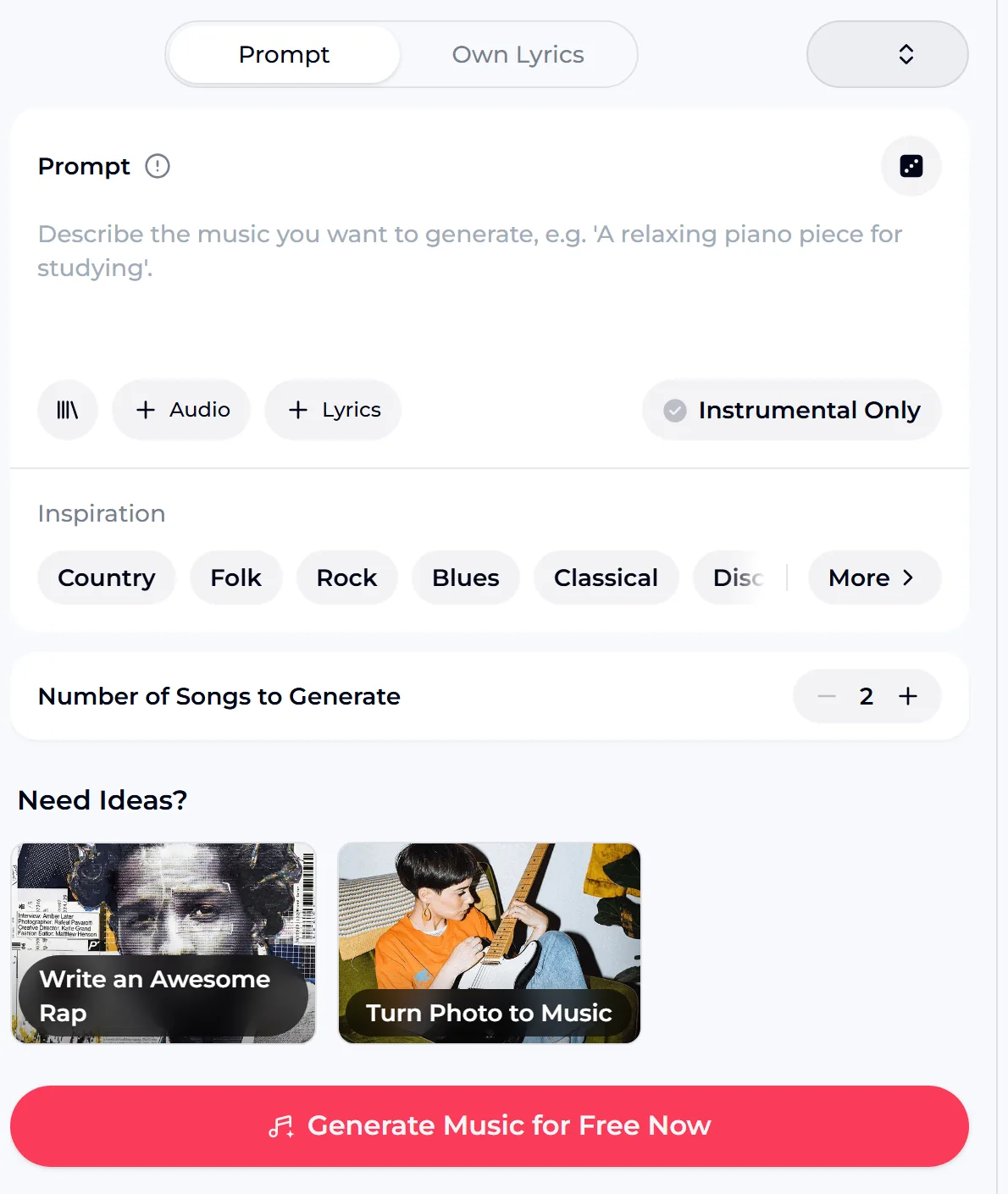
Prompt
Describe genre, mood, instruments and pace in a sentence. The AI audio generator writes the music and, unless you turn vocals off, the words and the singing too.
Own Lyrics
Paste lyrics you wrote and add a style line. Your words become the vocal, and the arrangement is built around them.
Audio
Upload an audio clip as a reference when a description is hard to put into words, and let the result follow its feel.
Instrumental Only
Switch off the vocal for background music under a video, a podcast intro or a study session, where singing would compete with speech.
AI Audio Generator Prompts and Sample Instrumentals
The fastest way to learn what the AI audio generator responds to is to borrow a working description and change one detail. Each line below names a genre, a mood, the main instruments and how the track should feel, which is the information that shapes the result most. Swap the instrument or the mood to make it yours.
Both tracks are AI-generated instrumental samples, played here to show the kind of background music a text description can produce. They are not results of the prompts above.

Where an AI Audio Generator for Music Fits Your Work

Video creators
Generate an instrumental that matches the pace of your edit instead of scrolling through stock libraries for a track that almost fits. Describe the mood of the footage and turn vocals off so the music sits under your voice.
Podcasters
A short instrumental intro or outro that sounds like your show, made from a sentence about its tone.
Songwriters
Use the AI audio generator to hear lyrics sung as a demo before you book a studio or a singer, then revise the words and try again.
Hobbyists and gift makers
A birthday song, a tune about your dog, a track for a family video. A plain-language prompt is enough to start.
Students and focus listeners
Calm piano, lo-fi or ambient pieces to study to, described exactly the way you like them.
From a Sentence to a Finished Track
Using an AI audio generator is a short process, but the description is where the result is decided. A vague prompt gives a generic track; a specific one gives you something you can use.
Write the description
Name a genre, a mood, one or two lead instruments and the pace. "Slow acoustic folk, fingerpicked guitar, wistful, female vocal" says far more than "nice song".
Decide on vocals
Leave vocals on for a song, add your own lyrics with the Lyrics option, or switch on Instrumental Only for background music.
Use the tags if you are stuck
Inspiration tags cover genres such as Pop, Jazz, Hip Hop, Country, Folk, Rock, Blues and Classical, plus groups for Mood, Instrument, Ambience and Vocal Gender.
Generate, listen, refine
Each run of the AI audio generator shows its credit cost on the generate button. If the mood is off, change one detail in the description and run it again.
What the Free Plan and Credits Cover
A free AI audio generator is only useful if you know where free ends. These figures come from the OpenMusic tool and pricing pages, so you can plan how many drafts to try before choosing a plan.
credits per generated song, shown on the generate button
credits a year on the free plan, which is 15 generations
ways to start: Prompt, Own Lyrics, Audio and Instrumental Only
tag groups to steer the sound: Genre, Mood, Instrument, Ambience, Vocal Gender
Unused credits do not carry over past the renewal date, and if you need more you can upgrade your plan or buy Pay Once credits as a one-time purchase. Generations that fail normally get their credits back automatically. Your balance and next refresh date are on your OpenMusic profile.
Publishing Music You Made With OpenMusic
If the track is going into a monetized video or onto streaming platforms, the rules depend on how you pay for credits. In every case, use is within the scope of the Commercial License attached to that song.
- Monthly members
- License download: 5 credits per song
- Annual members
- License download: no extra credits
- Pay Once credits
- Spend 5 credits per song for a license
- Songs from a free account
- Songs you made on the free plan can be downloaded once you upgrade to any paid plan.
- Where you can release
- Spotify, Apple Music, YouTube and similar
- After cancelling
- Licenses you already hold stay valid
An annual plan is not required to publish your music. Download your song files and license files while your membership is active, because downloads may be limited after it ends.
AI Audio Generator Questions, Answered
Can OpenMusic make voiceovers or sound effects?
No. OpenMusic is an AI audio generator for music: songs with vocals and instrumentals. It does not read a script aloud as text-to-speech, and it does not produce one-shot sound effects such as footsteps or door slams. If your project needs narration, use a dedicated voice tool for the speech and OpenMusic for the music underneath it. For steady white, pink or brown noise, the OpenMusic noise generator is the closer match.
Can I use the AI audio generator free?
Yes, you can use the AI audio generator free to start. The free OpenMusic plan includes 30 credits a year, which is 15 generations. That is enough to test several prompts and hear whether the results suit your project. Unused credits do not roll over at the renewal date. Songs you made on the free plan can be downloaded once you upgrade to any paid plan.
Can I use the AI audio generator for video music?
Yes, and this is one of the most common reasons people look for an AI audio generator. Describe the mood and pace of your footage, for example "upbeat acoustic guitar, travel montage, sunny", and switch on Instrumental Only so no vocal competes with your voiceover. If you want something closer to a stock-music workflow, the OpenMusic AI Background Music Generator is designed around that job. Generate two or three versions and pick the one that matches your cuts.
How do I get better results from a text prompt?
Be specific about four things: genre, mood, lead instruments and pace. "Dreamy synth-pop, slow, airy female vocal, nostalgic" gives an audio AI generator far more to work with than "a good song". If the result is close but not right, change one element at a time, such as the tempo feel or the main instrument, so you can tell what made the difference. The inspiration tags are a quick way to try styles you would not have thought to type.
Can I make a song with my own lyrics?
Yes. Choose Own Lyrics, paste your verses and chorus, and add a short style line describing the sound. Your words are what get sung, and the melody and arrangement are composed around them. Clear breaks between verse and chorus help the song follow your structure. If you only have a theme, start in the AI Lyrics Generator and bring the lyrics back to the music generator.
Can I publish tracks from the AI audio generator?
Yes, within the scope of the Commercial License. Monthly members download a song's license for 5 credits, annual members pay no extra credits, and Pay Once credit holders can spend 5 credits per song to get one, so an annual plan is not required. With the license you can release and monetize the song on platforms such as Spotify, Apple Music and YouTube, and licenses you already hold stay valid if you cancel later.
Describe the Music, Then Hear It
Write one specific sentence about the sound you want, choose vocals or instrumental, and let the OpenMusic AI audio generator build the track. Your free plan includes 30 credits a year, which is 15 generations and plenty to find a style that fits your video, podcast or song idea.
Keep the version you like, tweak the prompt for the next one, and spend your time on the project the music is for. When a track is ready to publish, check the license options in your account first, so the music and the paperwork are both in place.