Kpop AI for School Dance Clubs
Your club wants a song of its own for the spring showcase, not another cover of a chart hit. With kpop ai on OpenMusic, students describe the sound, set a tempo that suits their choreography, write the lyrics together and get an original K-pop-style track. Make a vocal version for the show and an instrumental for every rehearsal before it.
Kpop AI makes original songs only: no idol voices, group names or sound-alikes.
Why School Clubs Need Their Own K-pop Songs
Most school and youth K-pop clubs learn routines to famous songs, and kpop ai offers another way. That works for practice, but a club performing at a festival, open day or community event soon hits the same snags. The track is too fast for beginners, the lyrics do not suit a school stage, and a shared video of the performance may be muted or blocked.
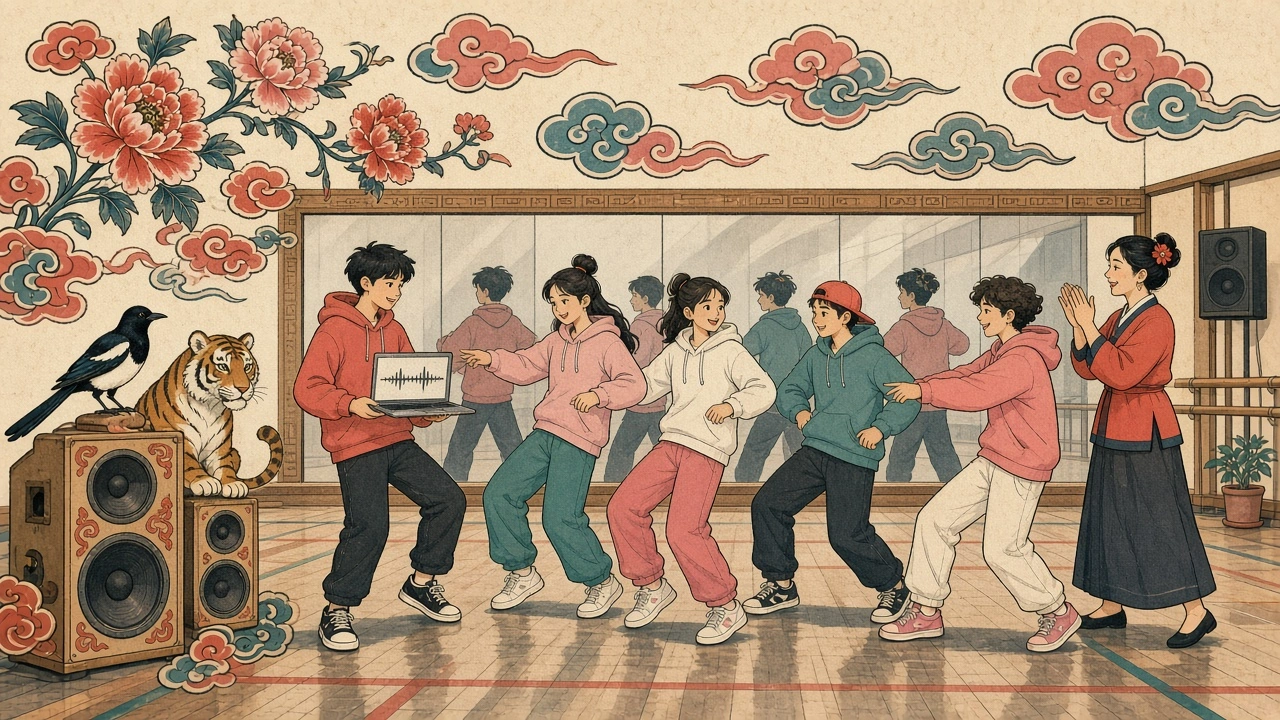
What an original club song fixes
- Tempo for your dancers. Pick a speed that matches your club's level, not someone else's choreography.
- Lyrics by the students. Write about your school, your club and the show you are building.
- A song nobody else performs. The routine feels like yours from the first count.
- Two kpop ai versions from one idea. A vocal take for the show and an instrumental for rehearsals.
Making a Club Song in Four Steps
Kpop AI on OpenMusic works in a web browser on the club laptop, with no app to install. Here is the route we took to build a festival anthem for a mixed club, using our own lyrics.
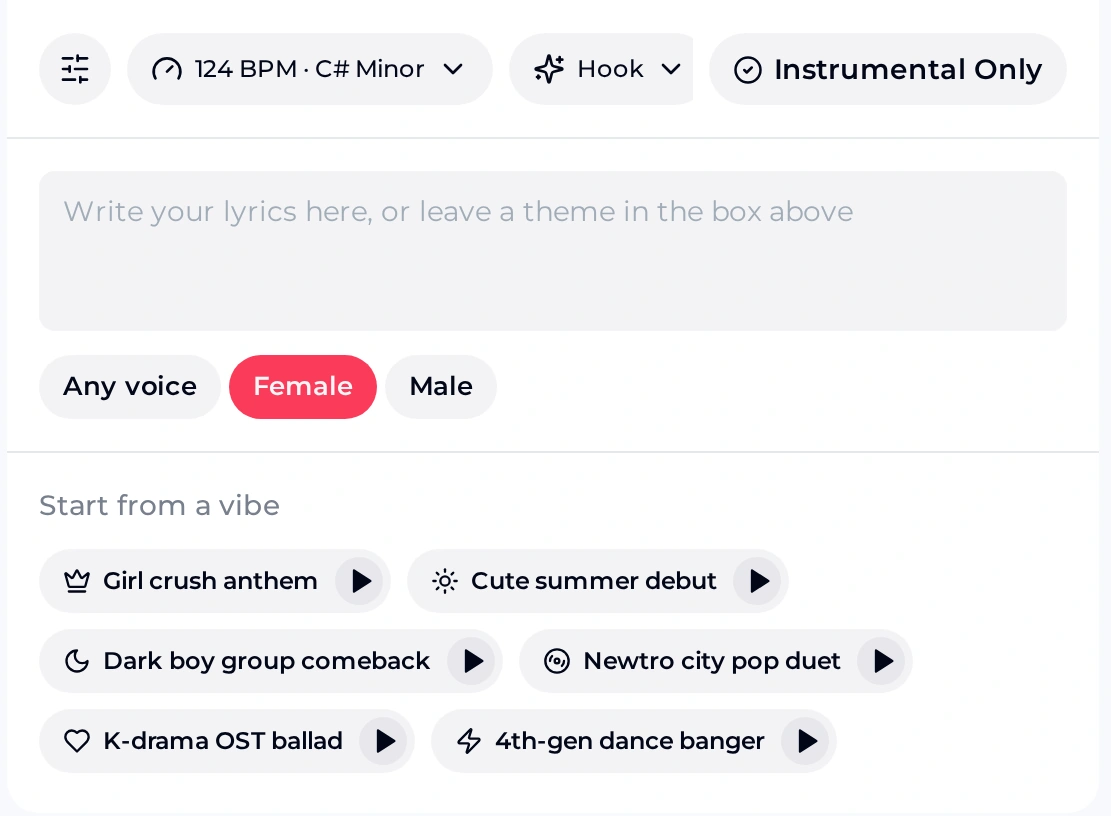
Start from a vibe or a blank prompt
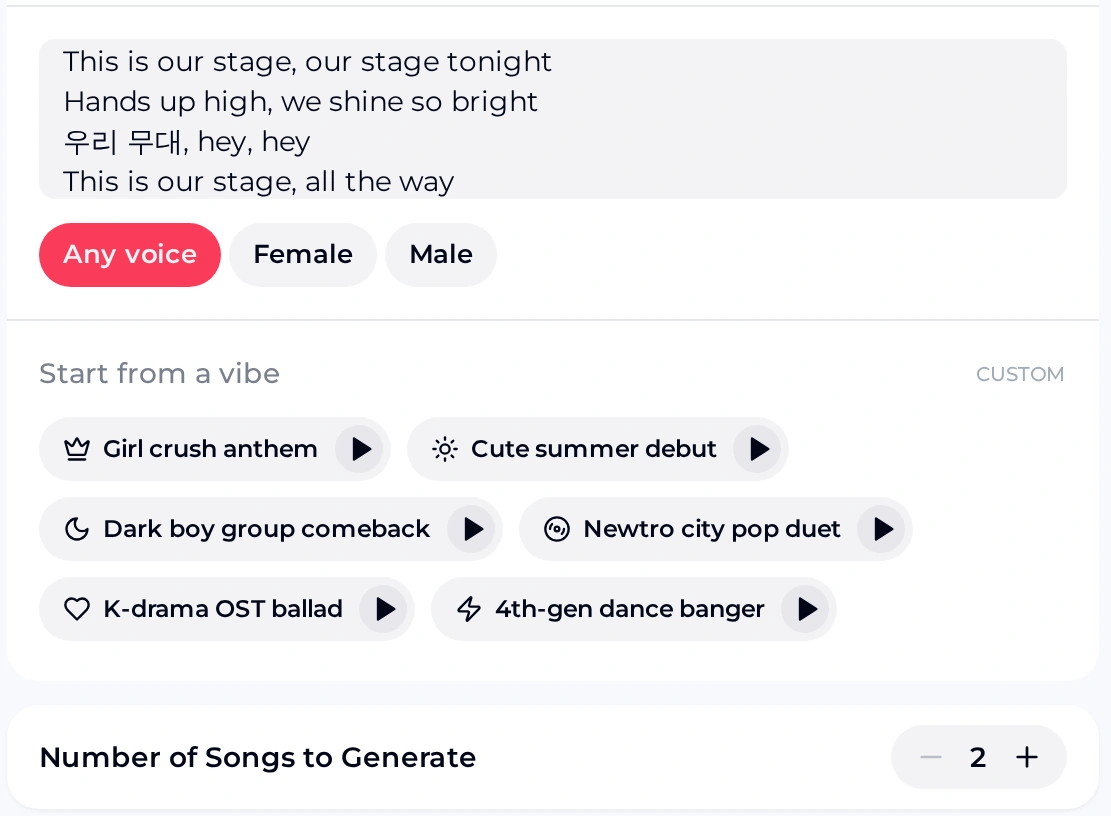
Six presets give you a starting sound: Girl crush anthem, Cute summer debut, Dark boy group comeback, Newtro city pop duet, K-drama OST ballad and 4th-gen dance banger. Each has a play button for a preview. Choosing Cute summer debut switched the setting to 130 BPM · B Major and filled in a full style prompt.
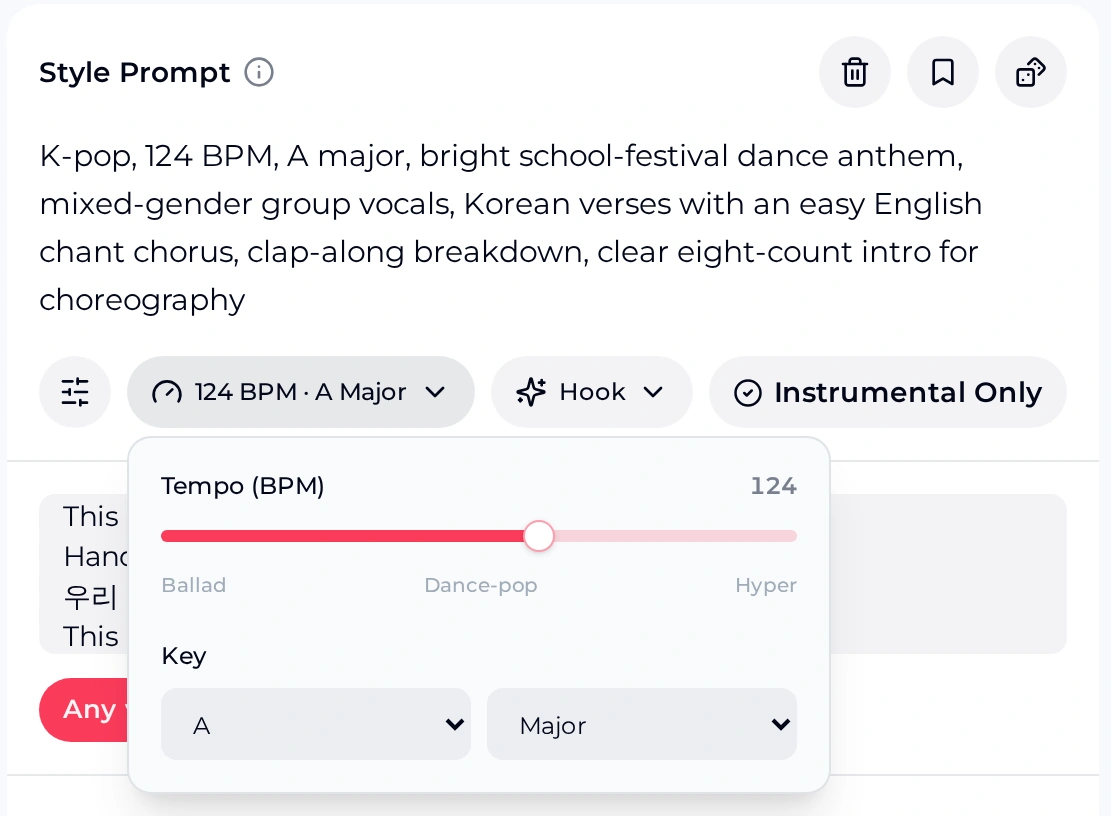
Set the tempo and key
In the BPM · Key menu, move the tempo slider between Ballad, Dance-pop and Hyper, then choose a key from C to B with Minor, Major, Dorian or Harmonic Minor. We kept 124 BPM and chose A Major for a bright anthem.
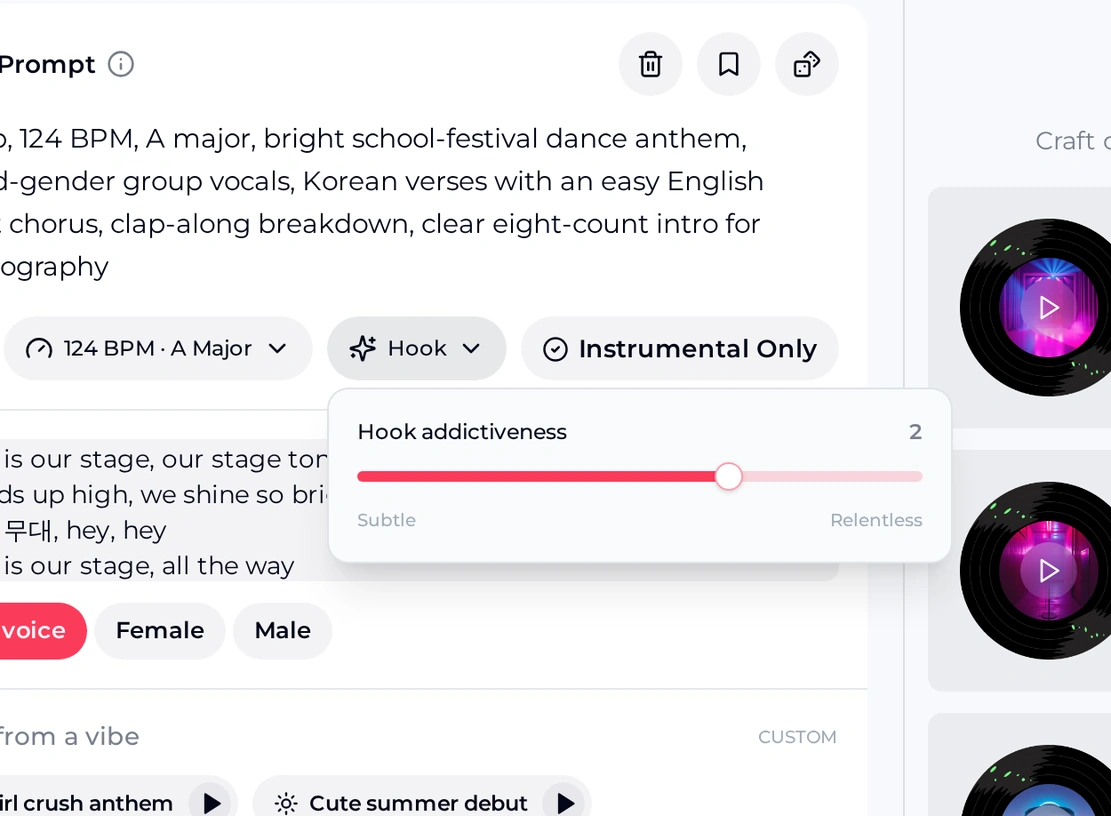
Choose how hard the hook hits
The Hook menu sets hook addictiveness on a slider from Subtle to Relentless. Leave it near the middle for a first try, then compare a subtler and a more relentless take with the club.
Add lyrics and pick the voices
Paste the lyrics the club wrote, or leave a theme in the style prompt instead. Choose Any voice, Female or Male; for a mixed club we picked Any voice and asked for mixed-gender group vocals. Turn on Instrumental Only for a rehearsal track.
Each kpop ai run makes two songs for 2 credits, so the club can vote on the better take. New accounts get 30 credits a year after a quick sign-up, which is enough for a few rounds of voting before the show.
Try Your Club's First Track
Open the kpop ai generator, set a tempo your dancers can follow and turn the club's lyrics into two original takes to vote on.
Settings at a Glance for Club Leaders
Before the first session, it helps to know which settings matter for a dance club. These are the kpop ai controls we used on the K-pop music generator, with the values you start from.
- Starting setting
- 124 BPM · C# Minor, with Female voice selected
- Tempo slider
- Ballad, Dance-pop and Hyper marks
- Keys and scales
- C to B; Minor, Major, Dorian or Harmonic Minor
- Hook
- Hook addictiveness, from Subtle to Relentless
- Voices
- Any voice, Female or Male
- Backing only
- Instrumental Only switch
- Songs per run
- Two songs for 2 credits
- Free start
- 30 credits a year after a quick sign-up
For beginner dancers, keep kpop ai toward the Ballad side or the lower Dance-pop range so every count is easy to hear. Advanced crews who want fast footwork can push toward Hyper. Whatever you choose, write the same tempo into the style prompt so the words and the setting agree.
Writing the Prompt and Lyrics as a Class
A vague request gives kpop ai little to work with. Describe the sound in musical words instead: tempo, key, mood, the vocal setup, the language mix and what the dancers need from the arrangement. Here is the edit our club prompt went through.
Our prompt, before and after
K-pop song for our school club, 124 BPM, A major, bright school-festival dance anthem, mixed-gender group vocals, Korean verses with an easy English chant chorus, clap-along breakdown, clear eight-count intro for choreography
For kpop ai lyrics, run a short class session: each student offers one line about the club, then the group picks a chorus everyone can shout. Keep Korean lines short and check them with a Korean speaker. One of the vibe presets already pairs Korean lyrics with catchy English hook phrases, so a mix works well.
Hear the Show and Rehearsal Versions
Both kpop ai samples were generated from this prompt, written for 124 BPM in A major. The show version sings the club lyrics, mostly English lines with short Korean phrases, and opens with a shouted "five, six, seven, eight" count. The rehearsal version has no vocals and runs longer, so dancers can repeat a section without a voice in the way.
Original Means Original: What Kpop AI Will Not Do
Kpop AI on OpenMusic makes new songs in a K-pop style. It does not imitate real idols, groups or their voices.1–4
- Do not put idol, group or song names in kpop ai prompts or lyrics, and do not ask for a particular singer's voice. Describe the sound instead.
- Do not expect, or tell your audience, that a result sounds like a specific idol or group. It is an original AI song.
- Kpop AI writes new music. It does not recreate or cover existing songs.
- Korean wording and pronunciation in kpop ai songs can come out imperfect, so have a Korean speaker listen before the show.
Kpop AI results vary from run to run, which is why each generation gives two takes. Free users download a limited number of songs, and paid plans download MP3, WAV and FLAC, so sort out downloads well before the dress rehearsal.
Kpop AI FAQ for Club Leaders
Can we ask for a song that sounds like our favourite group?
No. Keep idol, group and song names out of your prompts and lyrics, and do not ask for any real singer's voice. Describe what you like about the sound instead: the tempo, the mood, a big chant chorus, punchy drums or a smooth vocal duet. The result is an original song in a K-pop style, which is what makes it safe for your club to perform as its own. Students often find that describing a sound teaches them more about music than naming an artist.
Can kpop ai songs have Korean lyrics?
You can write Korean lines in the lyrics box, and one of the vibe presets already asks for Korean lyrics with catchy English hook phrases. Keep the Korean simple, listen to both takes closely and ask a Korean speaker to check the wording and pronunciation before you perform. Many clubs find a mix works best: Korean verses for the K-pop feel and an English chant chorus the audience can join in with on the first listen.
How many kpop ai songs can a club make for free?
New accounts get 30 credits a year after a quick sign-up. Each generation costs 2 credits and returns two songs, so a club can run several rounds and vote on the best take. Free users download a limited number of songs, while paid plans download MP3, WAV and FLAC, including songs made on the free plan. Unused credits reset on the renewal date, and you can also buy credits once with Pay Once if the club only needs a short burst before a show.
Can we share the performance video or use the song at paid events?
Because the track is an original song rather than a cover, the club is not performing someone else's music. If the school or club wants to use a track in anything that earns money, such as a ticketed show or a sponsored video, check the plan first: monthly plans include commercial rights, subject to the Commercial License. Keep a note of which account made each song, and save the final files together so the club can find them when the video is posted.
Give Your Club Its Own Song
Pick a kpop ai vibe, set a tempo your dancers can follow and turn the club's own lyrics into an original K-pop-style track for the showcase.
- Describe
- Set tempo
- Generate