A bed for a clip
A creator who wants to ai generate song for a video can write the scene, the pace and two instruments in Prompt, switch on Instrumental Only, and get a bed that sits under narration.
Typed brief or pasted lyrics to a full song
AI Generate Song is the OpenMusic route from a few typed words to finished audio. Describe a sound in Prompt, paste verses in Own Lyrics, or switch on Instrumental Only for a backing bed, and the AI Music Generator returns songs to compare by ear, since Number of Songs to Generate defaults to 2.

A creator who wants to ai generate song for a video can write the scene, the pace and two instruments in Prompt, switch on Instrumental Only, and get a bed that sits under narration.
Someone holding a finished verse and chorus pastes them into Own Lyrics, fills Styles with a genre and a mood, picks Random, Male or Female under Vocal Gender, and hears those lines sung.
For a birthday or a farewell, write the person’s name and two real details into the lyrics so the chorus feels personal, then keep whichever take carries the name most clearly.
The generator works in a phone browser, so you can ai generate song online the moment a hook or a title idea turns up.
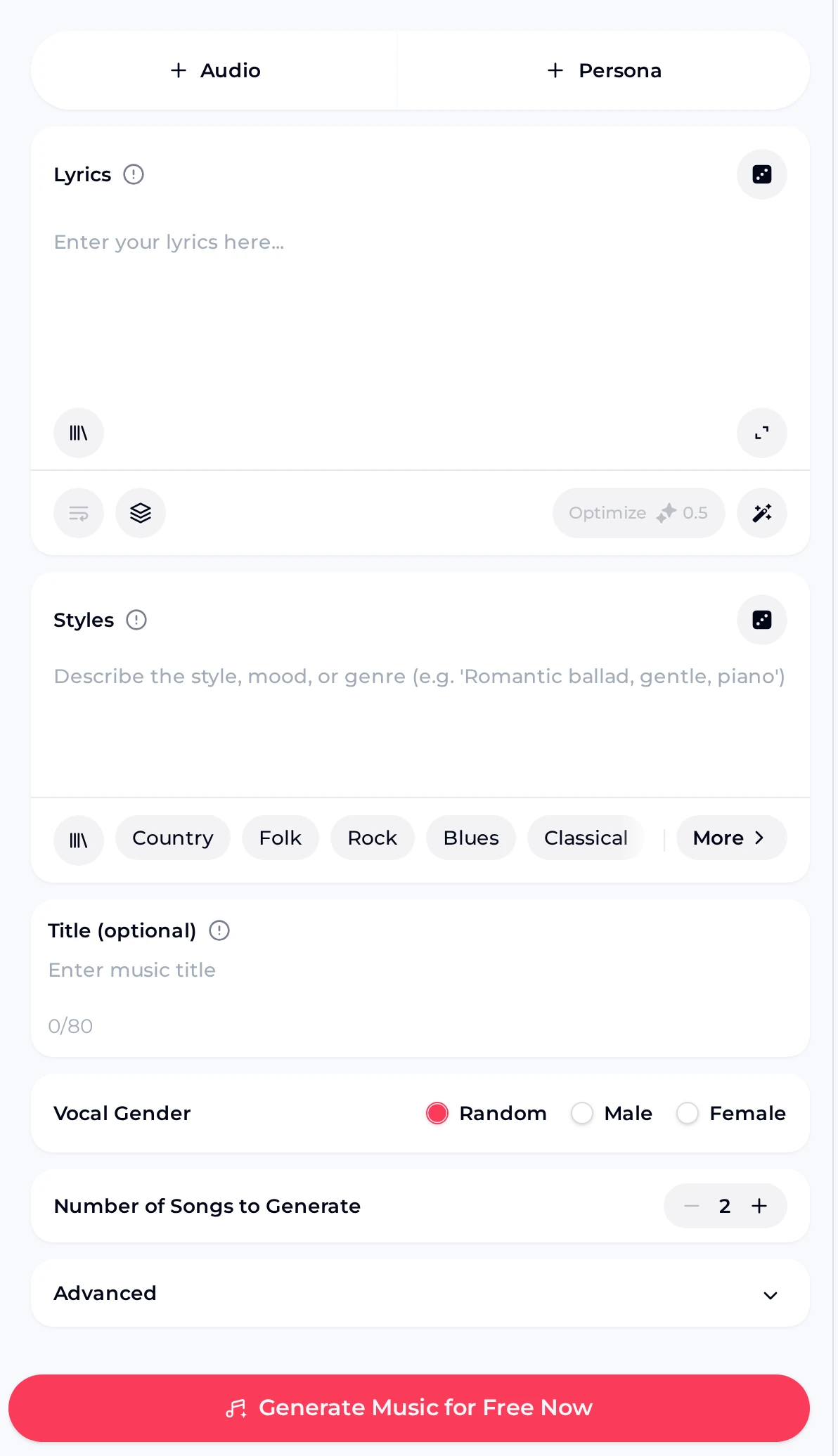
To ai generate song from text, follow one loop: type, choose a mode, listen, keep. Prompt mode takes a plain description, and its placeholder hints at the shape with “A relaxing piano piece for studying.” Inspiration chips such as Country, Folk, Rock and Blues add a genre word when a blank box feels hard to start.
Own Lyrics is where you ai generate song from lyrics: the Lyrics box holds your verses, while the Styles box describes the sound, for example “Romantic ballad, gentle, piano.” Number of Songs to Generate defaults to 2, so each run doubles as a quick A/B listen.

These two clips came from the same panel on two different jobs. The first shows what happens when a short verse goes into Own Lyrics with a simple Styles line. The second came from Prompt mode with the instrumental toggle on. Play each one through on headphones and then on a phone speaker, because a take that sounds full in one place can feel thin in the other.
Prompt suits a described sound, Own Lyrics suits your own words. In Prompt mode, switch on Instrumental Only when the job is a bed with nothing sung on top.
Name a genre, a mood and one or two instruments. A line like “warm acoustic folk, brushed drums, hopeful” gives the generator far more to work with than a single vague adjective.
Press Generate Music for Free Now. Play each take to the end before deciding, because the strongest moment is often the chorus rather than the opening bars.
Keep the take you like. On the next run change only one thing, such as the mood word or the vocal gender, so you can hear exactly what that edit did.
A free account comes with 30 credits a year, which covers 15 generations, since each song generation uses 2 credits. That is enough to try ai generate song for free across a handful of briefs and learn how the panel responds.
Releasing a song you made here works within the scope of the Commercial License. Within the scope of the Commercial License, monthly plans and Pay Once credits unlock the certificate for 5 credits per song, while yearly plans include it at no extra credit cost. Save each song and its certificate while your membership is active so the files stay with you.

It is the AI Music Generator, opened in your browser, turning typed words into finished songs. You describe the music in Prompt mode, paste verses in Own Lyrics mode, or switch on Instrumental Only when you want a bed for speech. Number of Songs to Generate defaults to 2, so you decide which take earns a place in your project. The panel also works in a phone browser, and a free account includes 30 credits a year, enough for 15 generations at 2 credits per song.
Yes. Open the Own Lyrics tab, paste your verse and chorus into the Lyrics box, and describe the sound in Styles, for example a genre plus a mood. Vocal Gender lets you pick Random, Male or Female, which is the simplest way to ai generate song with vocals that sing your words. Give each section its own block of lines, add an optional title of up to 80 characters, then generate and play each take to hear which one delivers the lyrics most clearly.
A free account receives 30 credits a year, and each song generation uses 2 credits, so that works out to 15 generations. Because Number of Songs to Generate defaults to 2, plan your briefs before spending them: write one clear line, listen to each take, then change one detail on the next attempt. Free users can download a limited number of songs. When you need more runs, a paid plan adds credits each month, and Pay Once lets you buy a one-time batch of credits.
Before pressing generate, turn on the Instrumental Only toggle while the Prompt tab is open. The toggle turns coral with a check mark when it is active. Then describe the instruments, the pace and the purpose, such as “soft piano and strings for a travel slideshow.” The takes that come back have no lead vocal, which suits podcasts, presentations and video narration. If you later want words on top, switch the toggle off or move to Own Lyrics and paste the lines you want sung.
You can, within the scope of the Commercial License. Monthly plans and Pay Once credits unlock the Commercial License certificate for 5 credits per song, and yearly plans include it at no extra credit cost, all within the scope of the Commercial License. Paid plans download MP3, WAV and FLAC, so you can deliver the file a platform or client expects. Download each song and its certificate while your membership is active, and keep them together with the project notes for that release.
Finished songs appear in your workspace. From there the Remix menu offers Cover and Extend, which help when you like the melody but want another style or a longer track. The Editor menu links to AI Vocal Remover and AI Stem Splitter when you want the voice and the backing as separate files. On paid plans, the Downloads menu offers MP3, WAV and FLAC audio, plus a PNG cover image and the Commercial License. Lyrics options include View Lyrics and Use Style & Lyrics for a fresh run.
Start from one brief or one pasted verse, hear each take through, then keep whichever suits your project.
Open the AI Music Generator