AI Music Creation

A home haunt lives or dies on sound. AI music creation lets you score a haunted garage or backyard walk-through room by room: a low drone for the crypt, a wheezing carnival waltz for the queue and a silly track for the early kids' hour. Describe the room, keep it instrumental so your actors can still be heard, and loop it on a hidden speaker.

  1. List the roomsQueue, each scene and the exit
  2. Describe each oneDarkness, pulse and instruments
  3. Pick and loopOne track per hidden speaker

Who Scores a Haunt

Home haunters build their own sets in garages, yards and community halls every October, often on a small budget. The sets get most of the effort, but guests feel the sound first. AI music creation fills that gap without hunting for tracks or worrying about whose music you are playing to the street.

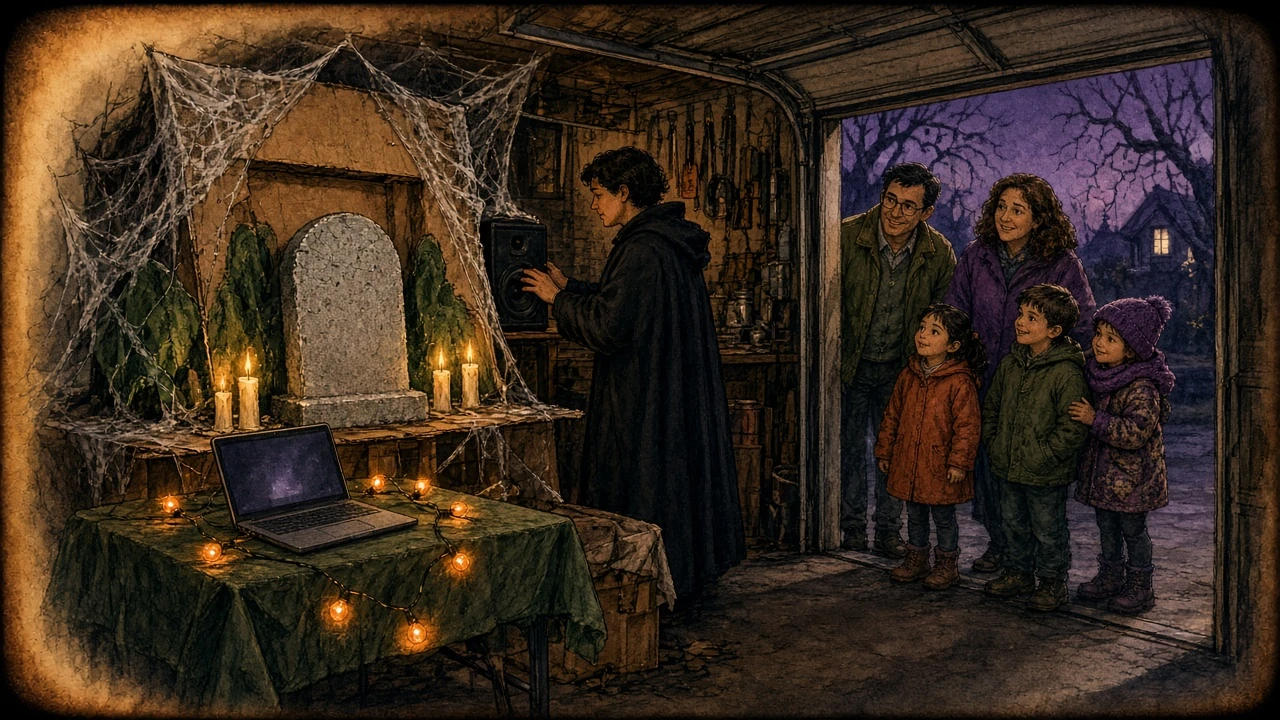
Magic lantern slide style illustration of a garage home haunt at night, with a cloaked volunteer adjusting a hidden speaker beside a cardboard crypt with cobwebs and candles, a laptop on a folding table and neighbours with children waiting at the open garage door

The home haunter

You build the crypt from cardboard, borrow fog machines and recruit neighbours as actors. An AI music creation track made for each room means every speaker plays something that fits the scene, instead of one spooky playlist across the whole route.

Also for: school and church Halloween nights, charity haunted houses, scout troop haunted trails and escape-style Halloween parties.

Plan the Sound Room by Room

Walk the route on paper before you start any AI music creation. Each row below is one stop on a typical garage haunt, with the job its music does and a style line to start from. AI music creation works best when every room gets its own short description.

RoomWhat the music doesStyle line to start from
Queue lineBuilds nerves while guests wait outsidecreepy carnival waltz, music box, calliope organ
Crypt or chapelFills the room with dread and covers the fog machinedark cathedral drone, low strings, heartbeat pulse
Lab or workshopAdds tension before an actor jumps outticking clock, electric hum, rising strings
ExitLets guests laugh and breathe againupbeat spooky swing, horns, playful
Kids' hourKeeps the same route fun for small childrensilly Halloween romp, tuba, xylophone, theremin

How AI Music Creation Works for a Haunt Room

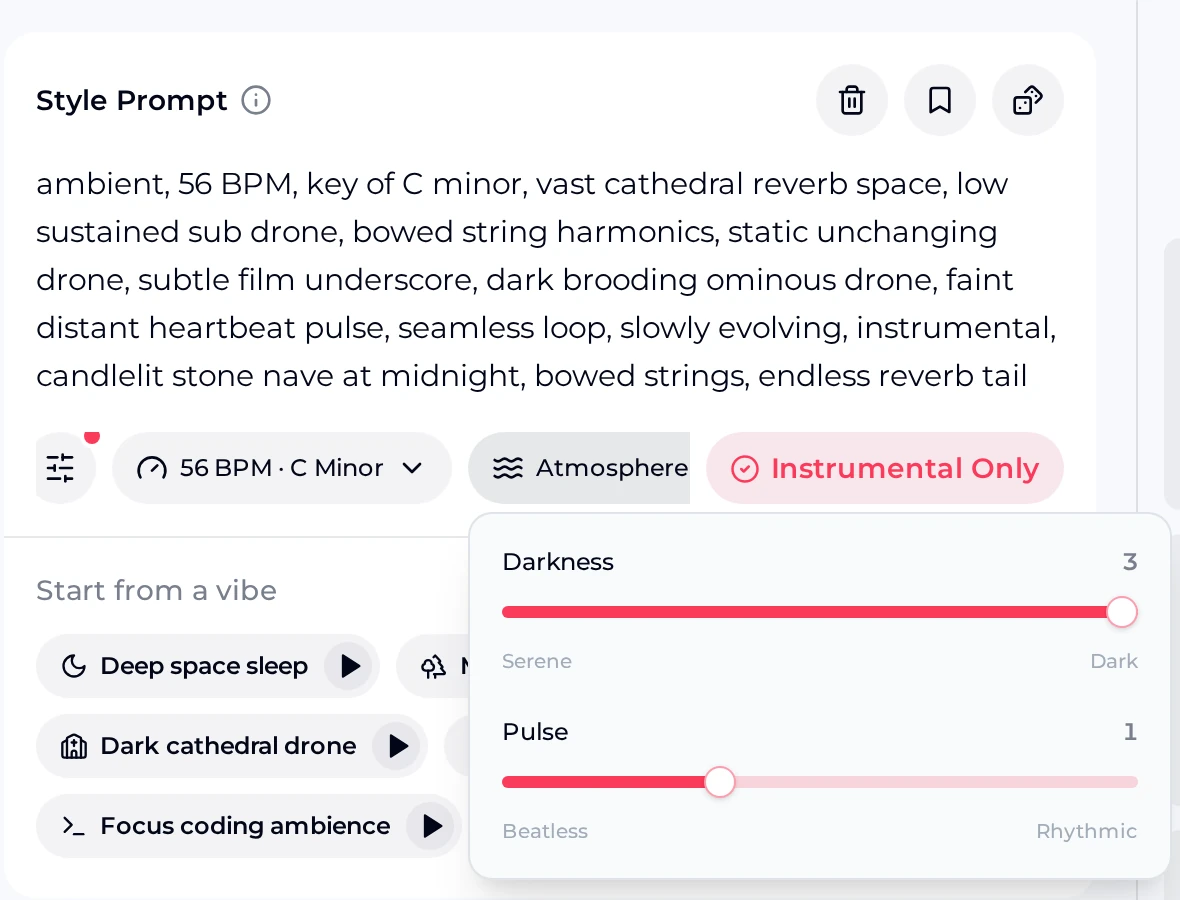
For the darkest rooms, start in the Ambient Music Generator. The screenshot shows the Dark cathedral drone vibe loaded into the Style Prompt, with Instrumental Only on and the Atmosphere controls open: Darkness at 3 and Pulse at 1.

  1. Load a vibe. Pick the vibe closest to your room, such as Dark cathedral drone for a crypt or Underwater depths for a flooded cellar.
  2. Edit the Style Prompt. Add one detail from your set, such as dripping water or a distant bell, and keep the word instrumental.
  3. Set Atmosphere. Drag Darkness from Serene to Dark, and Pulse from Beatless to Rhythmic if you want a heartbeat feel.
  4. Check the tempo and key. The BPM button shows the values from the vibe; a slow tempo suits most dark rooms.
  5. Compare the two takes. Each run gives you two tracks. Play both on the speaker in the room, at night, before you choose.
OpenMusic Ambient Music Generator for AI music creation, with the Dark cathedral drone Style Prompt at 56 BPM in C minor, Instrumental Only on and Darkness 3, Pulse 1

Start with the crypt

Load Dark cathedral drone, add one sound from your set and generate two takes to test on the speaker behind your tombstone.

Open the Ambient Generator

Three Rooms, Three Tracks

These AI music creation samples were made for one imaginary garage haunt. The crypt track comes straight from the Dark cathedral drone vibe. The queue-line waltz and the kids' hour track came from short style lines like the ones in the table above.

RoomStyleLengthListen
CryptDark ambient drone, instrumental3:08

Style: ambient, 56 BPM, key of C minor, vast cathedral reverb, low sustained sub drone, bowed string harmonics, faint distant heartbeat pulse.

Queue lineCreepy carnival waltz, instrumental1:49

Style: creepy carnival waltz in 3/4, out-of-tune music box and wheezing calliope organ, detuned toy piano, eerie but playful.

Kids' hourFriendly spooky romp, instrumental1:34

Style: friendly spooky Halloween romp for kids, pizzicato strings, bouncy tuba, xylophone, playful theremin melody, not scary.

Match the Track to the Night

Many haunts change their sound as the evening goes on. These AI music creation starting points cover four common setups; swap the instruments to suit your theme and keep every track instrumental.

Early kids' hoursilly romp, tuba, xylophone

Lights up, actors wave instead of jump.

Main hauntdark drone, low strings, pulse

One track per room, played quietly.

Queue at the curbcarnival waltz, music box

Loud enough to reach the end of the line.

Halloween partyspooky swing, horns, upbeat

Something guests can dance to after the walk-through.

Sound Rules for a Better Scare

Haunt sound competes with fog machines, screaming guests and the street outside. These rules help the tracks you make with AI music creation work with your actors instead of against them.

  1. Keep it instrumental. A vocal track covers your actors' lines. Leave Instrumental Only on for every room.

  2. One room, one track. Two rooms playing different tracks at full volume blur together, so turn each speaker down.

  3. Hide the speaker low. A speaker behind a tombstone or under a table sounds like the room, not like a stereo.

  4. Leave space for the scare. A drone with almost no beat makes a sudden noise from an actor land harder.

Check the Loop Before Opening Night

AI music creation tracks for a haunt play for hours, so the place where a track ends and starts again matters. The Style Prompt can ask for a seamless loop, but a generated track will not always come back round cleanly.

A generated track may still have a clear ending or a jump where your player starts it again.

  1. Listen to the last ten seconds and the first ten seconds of each track back to back.
  2. If you hear a jump, set your player to crossfade, or fade the track out and in.
  3. Test the loop on the actual speaker at night, with the fog machine running.

AI Music Creation Questions for Haunts

Can I play the tracks at a charity haunt?

A public or ticketed haunt is where your plan matters. For songs made on a paid plan, you get commercial rights within the scope of the Commercial License, which is the basis for playing your tracks to paying guests or at a fundraiser. Free users can create songs and listen but can download only a limited number, so check your plan well before October.

How do credits work?

Every AI music creation run uses credits, and each run gives you two tracks to compare. The free plan includes 30 credits a year, which is enough to try a track for your scariest room before you look at a paid plan. Failed generations are usually credited back automatically. Keep your style lines saved in your haunt notes, so every new try starts from the same words and the rooms still sound like one haunt.

Which generator should I use for each room?

When you use AI for music creation in dark rooms, the Ambient Music Generator suits them best, because its vibes, Darkness and Pulse controls are built for slow, beatless sound. For the queue, the exit or the kids' hour, describe the style in the Prompt box of the AI Music Generator and switch on Instrumental Only, so the track has a tune guests can follow. Use the same style line for the queue each year, and guests will start to recognise your haunt by its sound.

How should I play the tracks?

Paid plans download MP3, WAV and FLAC files; MP3 plays on any phone or small speaker. Give each room its own cheap speaker and player set to repeat, rather than one loud system for the whole route. Label every file with its room name, and keep a spare phone with all the tracks in case a player fails on the night.

How scary should the kids' hour be?

Not scary at all, for most families. In AI music creation, ask for silly instruments such as tuba, xylophone and theremin, and add words like playful and not scary to the style line. Keep the lights up, turn the volume down, and let actors wave instead of jump. Switch to the dark room tracks only once the youngest guests have gone home, and tell parents at the door which hour they are in.

Can I add my own sound effects?

Yes, and many haunters do. Play a track from AI music creation on one speaker and trigger screams, chains or a door slam from a separate player, so you can time each effect to an actor. Ask for a sparse track with little percussion, which leaves room for the effects, and keep the music a little quieter than the scares.
Build the room.Score it.Scare.

Describe each room of your haunt, keep it instrumental and let AI music creation give every hidden speaker its own track.

Score Your Haunt