AI Music Producer
Every show synced to music needs someone running the music. If that someone is you, an AI music producer workflow gives you an original instrumental soundtrack in three parts: a strong opener, a calmer middle and a finale that keeps building. You get tracks you made yourself, so you can plan cues to the beat and play them at the party.
Music only here: follow your local fireworks rules and the product labels.
Who Produces the Music for a Home Show
Most backyard shows have one person who buys the product, plans the cues and picks the songs, because they want to sync fireworks to music. One r/fireworks post we read asked exactly this: how long should the show be, and how many songs?
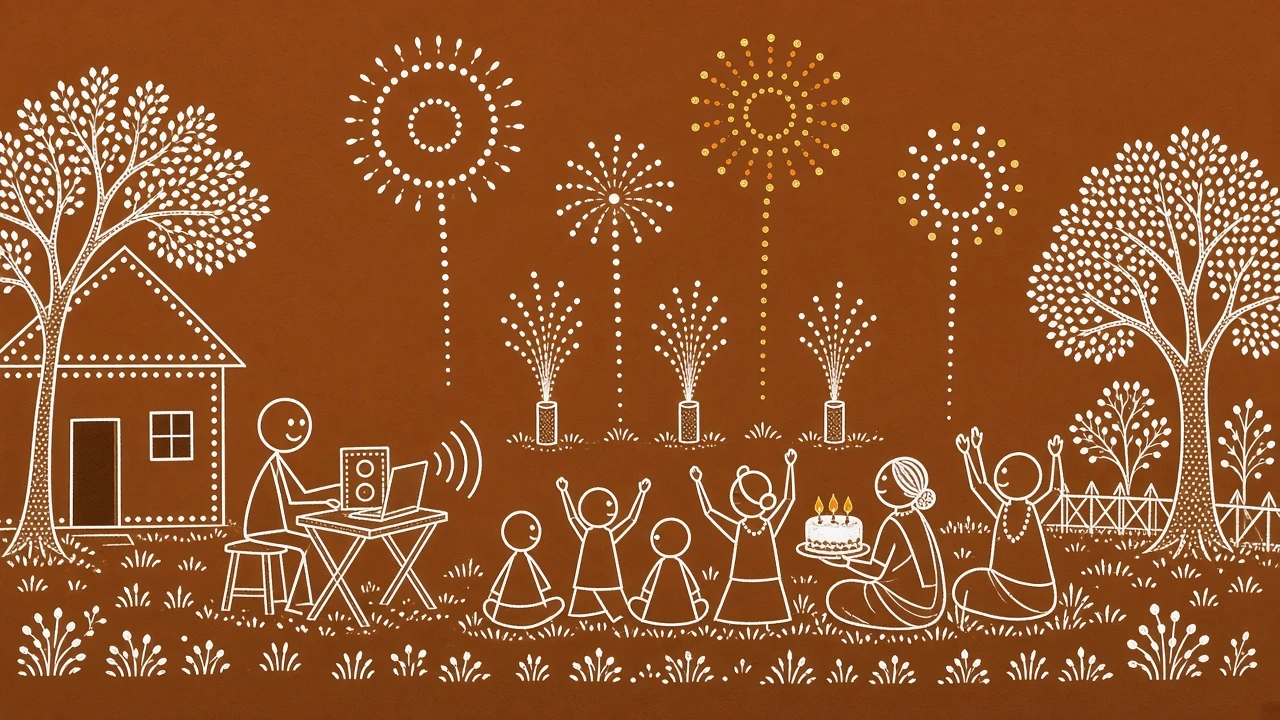
The person at the laptop
You are the show's AI music producer as well as its planner. You decide how long each part runs, where the big moments land and what plays during the short breaks between segments.
Fireworks Show Design Before the Music
One shooter planning an 80th birthday show asked how long to make it. A reply from the same r/fireworks thread gave a simple shape that also works as a music brief:
“a fast paced 5 minute show is more remembered than a slow 15 min show, start strong slow it down a bit then finish stronger”r/fireworks
Another reply suggested "3 songs, each cut to 2-3 minutes" and added: "About a quarter of the product should be reserved for the finale." That gives the AI music producer three jobs.
Segments
Opener, middle and finale, each its own track.
Takes per run
Every generation gives two versions to choose from.
Saved for the finale
The thread's rule of thumb for product; the music should build to match.
A Cue Sheet for Three Original Tracks
Write the plan as a cue sheet first. Each row becomes one prompt for your AI music producer session in the AI Music Generator. The sample tracks below follow this plan; they are examples made with the OpenMusic AI Music Generator.
| Segment | Length we got | Prompted tempo | Music feel | What the show does |
|---|---|---|---|---|
| Opener | 0:42 | 128 BPM | Big drum hits and brass from the first second | Starts strong to grab the crowd |
| Middle | 2:44 | 76 BPM | Slow piano and strings with soft swells | Slows down so single shots can breathe |
| Finale | 2:58 | 140 BPM | Driving drums and wordless choir pads that keep building | Finishes stronger with the saved product |
With an AI music producer, track length varies from take to take. Generate a few takes and keep the ones that fit your plan, or adjust the plan to the music you like.
How to Be Your Own AI Music Producer
Each segment goes through the same short loop in the AI Music Generator.
- Write the prompt
- Turn on Instrumental Only
- Generate two takes
- Find the tempo
- Plan cues on the beat
Describe the segment's job in the Prompt, with a tempo and the instruments you want. Turn on Instrumental Only so no vocals cover the crowd noise. Number of Songs to Generate starts at 2, so each run gives two takes. Pick one, measure its tempo, then write your cues against the beat, the way any AI music producer would check a take.
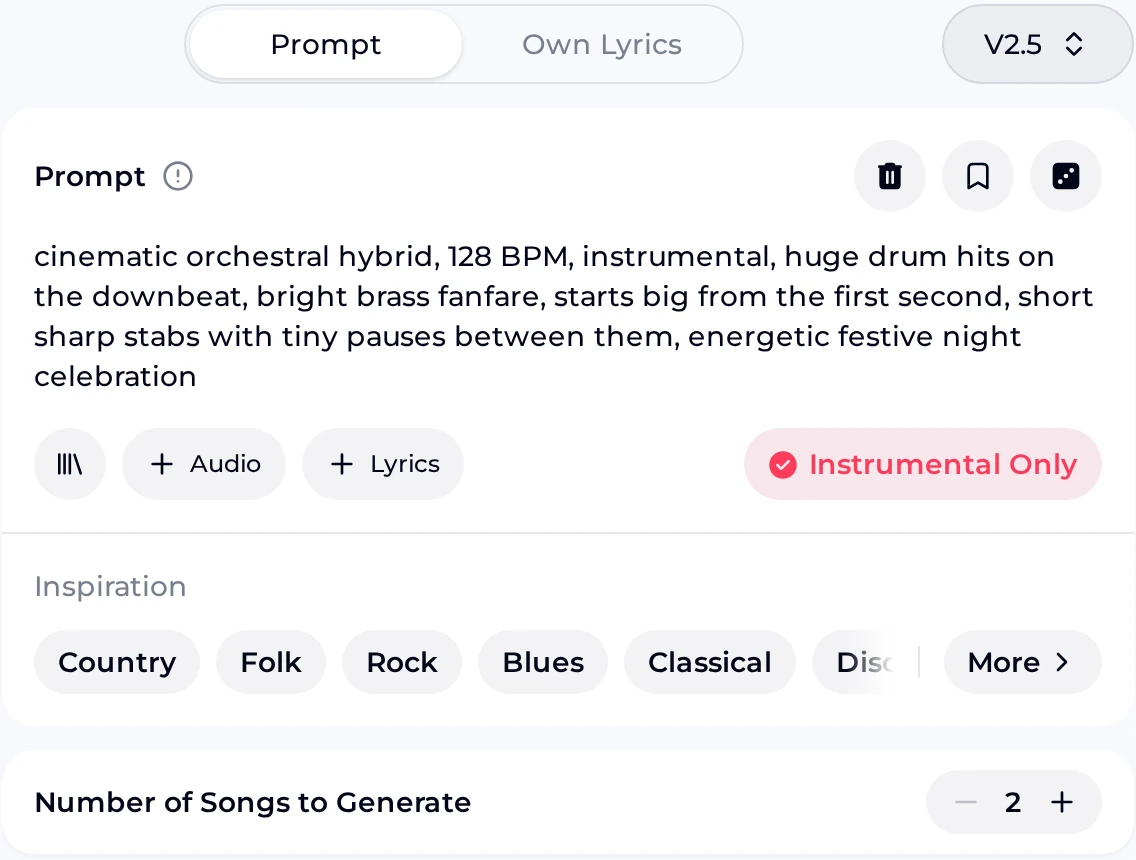
The opener prompt
The screenshot shows an AI music producer opener prompt typed in (1): a cinematic orchestral opener at 128 BPM that "starts big from the first second", with short stabs and tiny pauses between the hits. Instrumental Only is on (2).
The Inspiration chips offer genre and mood ideas (3), and Number of Songs to Generate stays at 2 (4).
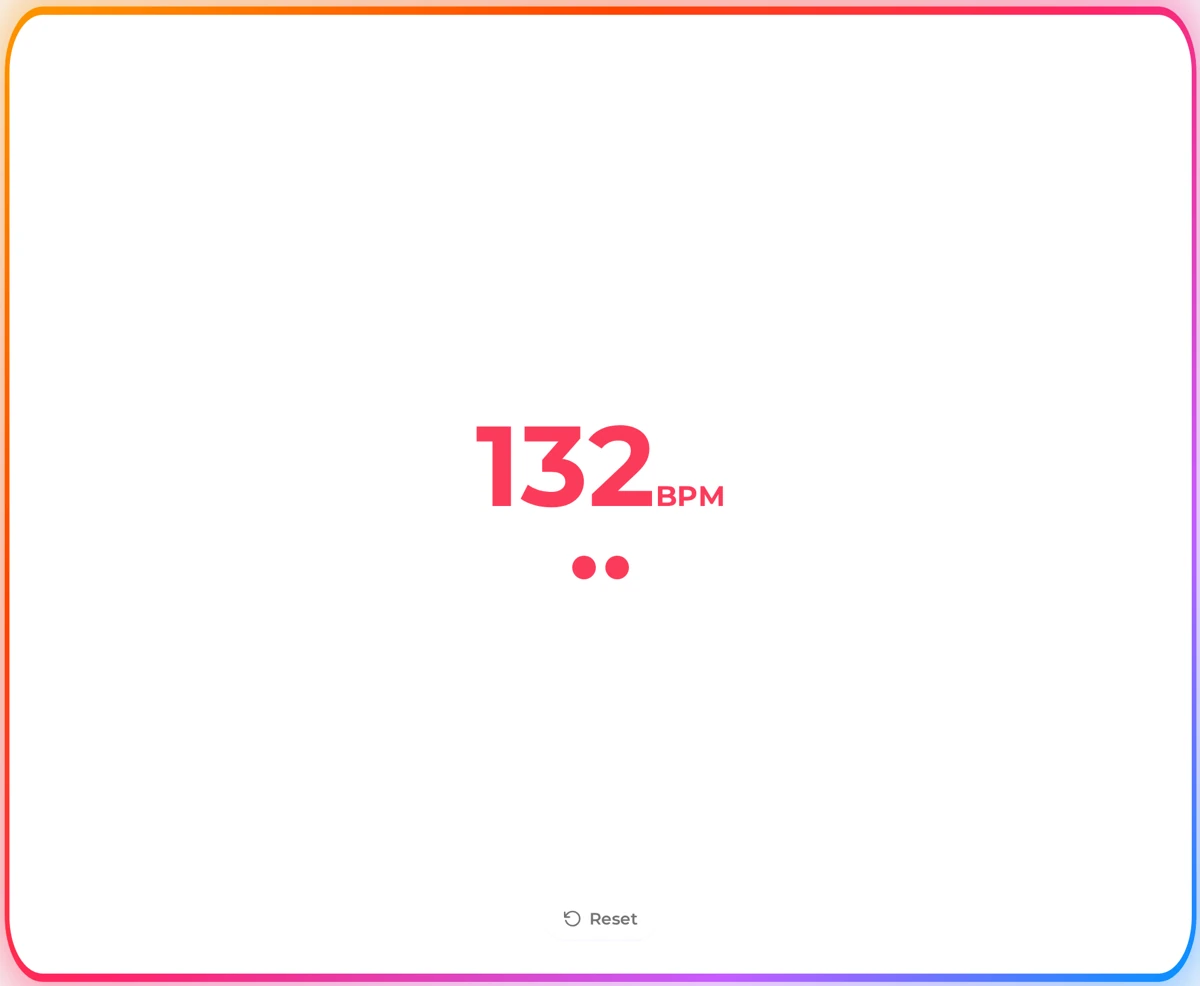
Find the beat with BPM Tapper
Play your chosen take and tap along on the BPM Tapper with the spacebar, mouse or touchscreen. In our screenshot, a steady run of test taps reads 132 BPM; tap along to your own take to get its tempo.
Once you know the tempo, count beats instead of guessing seconds when you plan cues: big hits on the downbeat, bursts on the bar line.
Start with the opener
Write a prompt for the first thirty seconds, turn on Instrumental Only and hear two takes of the opening your crowd will remember.
Make the OpenerFireworks Show Music in Three Segments
These three instrumentals follow the cue sheet. They are examples made with the OpenMusic AI Music Generator, to show what each AI music producer brief can sound like. Together they run a little over six minutes, close to the two or three songs the thread suggested.
Notice how the opener hits hard right away while the middle leaves long gaps between swells. Those gaps are where single shots and fountains can be seen and heard.
Tips From Planning to Show Night
An AI music producer still has to think like a show producer. Split the work into three stages.
Before
- Write one line per segment: its job, tempo and instruments.
- Ask for "starts big from the first second" on the opener so the show does not fade in.
- For fireworks finale music, ask the track to "keep building" and "end on one huge final hit".
During
- Ask the AI music producer for each segment on its own, not one long track.
- Keep the take whose big moments are easiest to count.
- Leave a short gap in the playlist between segments if your show plan needs a pause.
After
- Measure each kept take with BPM Tapper.
- Rehearse the cue list against the actual files, not the prompts.
- Download the AI music producer tracks to the device you will play from.
Ask These First
An AI music producer can only make the music. Answer these before you start, so the soundtrack fits a show you can legally and safely put on.
- Are fireworks allowed where you are, on that date? Check local rules first; the music is the easy part.
- How long is the show really? Count your product and timing before you decide track lengths.
- How precise does the timing need to be? A looser show plan suits simpler, slower music in the middle.
- Do you want lyrics? For most shows, Instrumental Only works better under crowd noise and bangs.
- Where will the music play from? Test the speaker outdoors at the distance your guests will sit.
Fireworks Soundtrack Questions
01 Can I choose the exact track length?
Not directly. Each take your AI music producer session makes in the AI Music Generator comes out at its own length, which you hear before you decide. Our three tracks ran 0:42, 2:44 and 2:58. Write the target length in your plan, generate a few takes, and keep the ones that come closest. When you sync fireworks to music, it is often easier to adjust the cue plan to a take you love than to keep generating until one hits an exact time.
02 Why make original music instead of using hits?
Original music from an AI music producer is yours to shape around the show: you choose the tempo, where the big hits fall and how the finale builds. You also avoid relying on someone else's song for a recorded video of the show. For songs made on a paid plan, you can use them commercially within the scope of the Commercial License (monthly plans and Pay Once credits pay 5 credits per song for the license certificate; annual plans pay nothing extra), which matters if you post the show video somewhere that earns money.
03 How do credits work?
Every AI music producer generation uses credits, and each run gives you two takes of the same segment to compare. The free plan includes 30 credits a year. Failed generations are usually credited back automatically. Keep each segment prompt in your cue sheet so you can regenerate a section without starting the whole soundtrack again. If a take misses the feel you wanted, change one detail in the prompt, such as tempo or instruments, before you run it again.
04 What tempo works for each part?
There is no single right answer, but a fast opener around 120 to 140 BPM grabs attention, a slow middle around 70 to 90 BPM gives single shots room, and fireworks finale music that comes back up to the opener's speed or faster feels like a climax. Write the tempo in the prompt, then measure the take you keep with BPM Tapper, because the result may not match the number you asked for.
05 Can I download the tracks for show night?
Paid plans can download MP3, WAV and FLAC files, which is the safest way to play from a phone or laptop without relying on a connection outdoors. Songs made on the free plan can be downloaded once you upgrade to any paid plan. Download the final takes well before the show, put them in order in one playlist, and test the playlist on the speaker you will use.
Score the Finale Before the Fuses
Write the three segment prompts for your AI music producer session tonight, generate two takes of each, and walk into show night with a soundtrack that builds like your plan.