Songs for bilingual families

AI Music Generator From Lyrics

Write the verses in the language your family speaks at home and the chorus in English, so everyone can sing along. An AI music generator from lyrics uses the words you type as the lyrics, and you choose the style and the voice. With Number of Songs set to 2, each run gives you two takes to compare, so you can pick the one your family likes best.

Free credits after a quick sign-up; check pronunciation on every take.

Is it for you

Who Writes a Song in Two Languages

Bilingual songs suit anyone whose life already runs in two languages, and an AI music generator from lyrics makes them easy to try. Hover or tap a pill to see whether one sounds like you.

You are raising kids in two languagesA song with home-language verses gives them words to repeat without it feeling like a lesson.
You want a gift for a grandparentVerses in their language about their kitchen, their village or their stories, with a chorus the grandchildren can sing.
You live far from homeWrite the verses to the people you left and the chorus for the friends you have made since.
You teach a heritage language classA class song mixes the target language with English, so newer learners can still join the chorus.
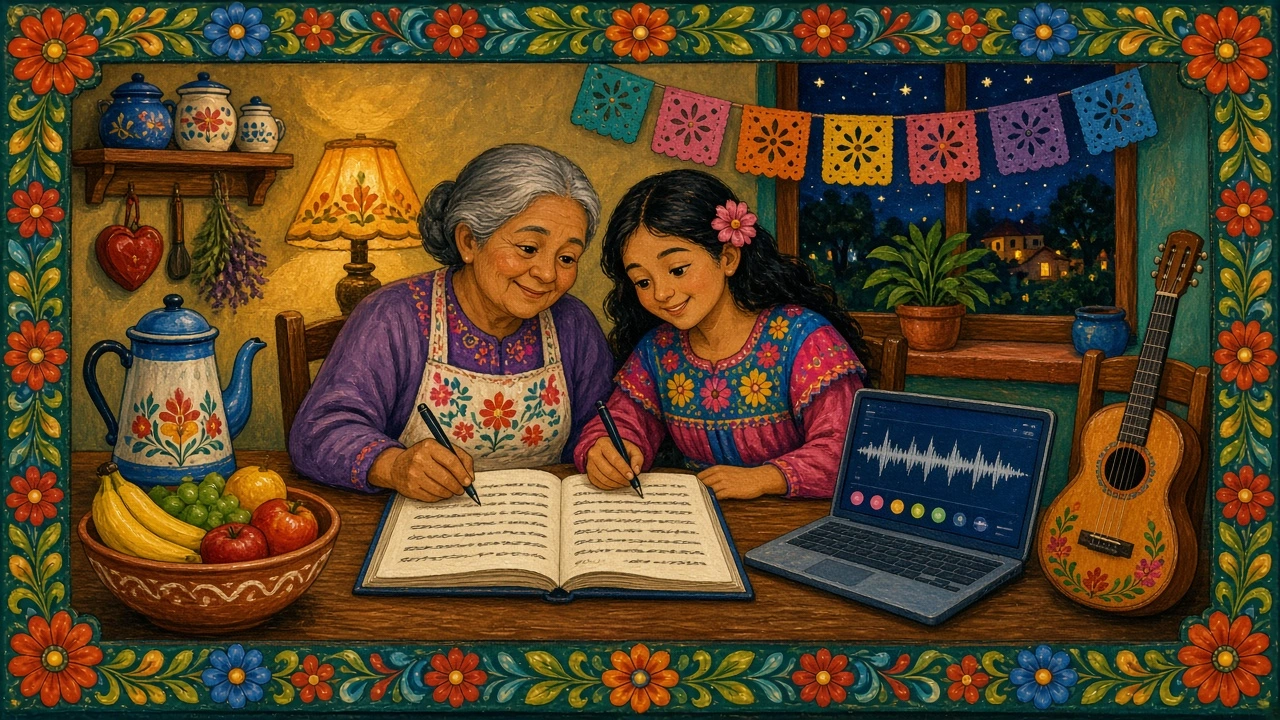
Folk-art painting of a grandmother and granddaughter writing song lyrics in a notebook at a kitchen table, with a laptop and a guitar

The best bilingual songs start at the kitchen table. One person knows the old words and stories; the other types. The AI music generator from lyrics only needs the finished text, a short style description and a voice choice.

Songs are a familiar way to keep a second language in daily life, and parents in bilingual households say so often.

continued exposure (video calls with family,cartoons,songs ecc) and praise have helped so much.— r/bilingual comment from a minority-language parent
How it works

Two Steps From Notes to a Song

Draft the words in one tool, then turn them into music in an AI music generator from lyrics. Pick a step from the list to jump straight to it.

  1. Draft the lyrics
  2. Make the song
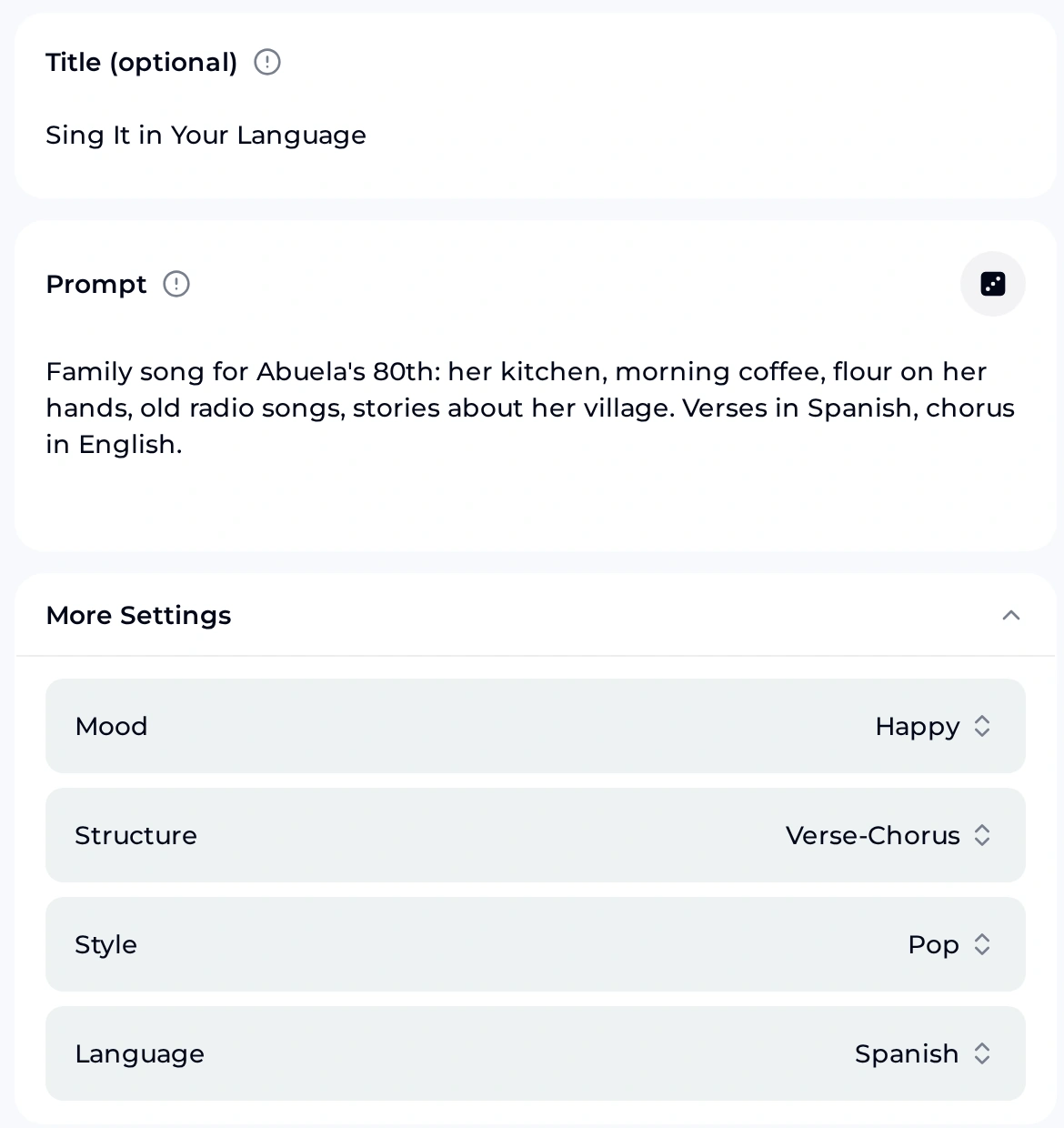
OpenMusic AI Lyrics Generator with the title Sing It in Your Language, family notes in the Prompt box and More Settings set to Happy, Verse-Chorus, Pop and Spanish

1. Draft the lyrics

Open the AI Lyrics Generator, add a title and type your notes into Prompt: names, places, a smell, a saying. Under More Settings, the Language dropdown lists English, Spanish, French, Portuguese, German, Japanese, Korean, Vietnamese and both Chinese scripts.

Set Language to the verse language. The draft will likely follow it, but a mixed request such as an English chorus may need editing by hand, so read every line before moving on.

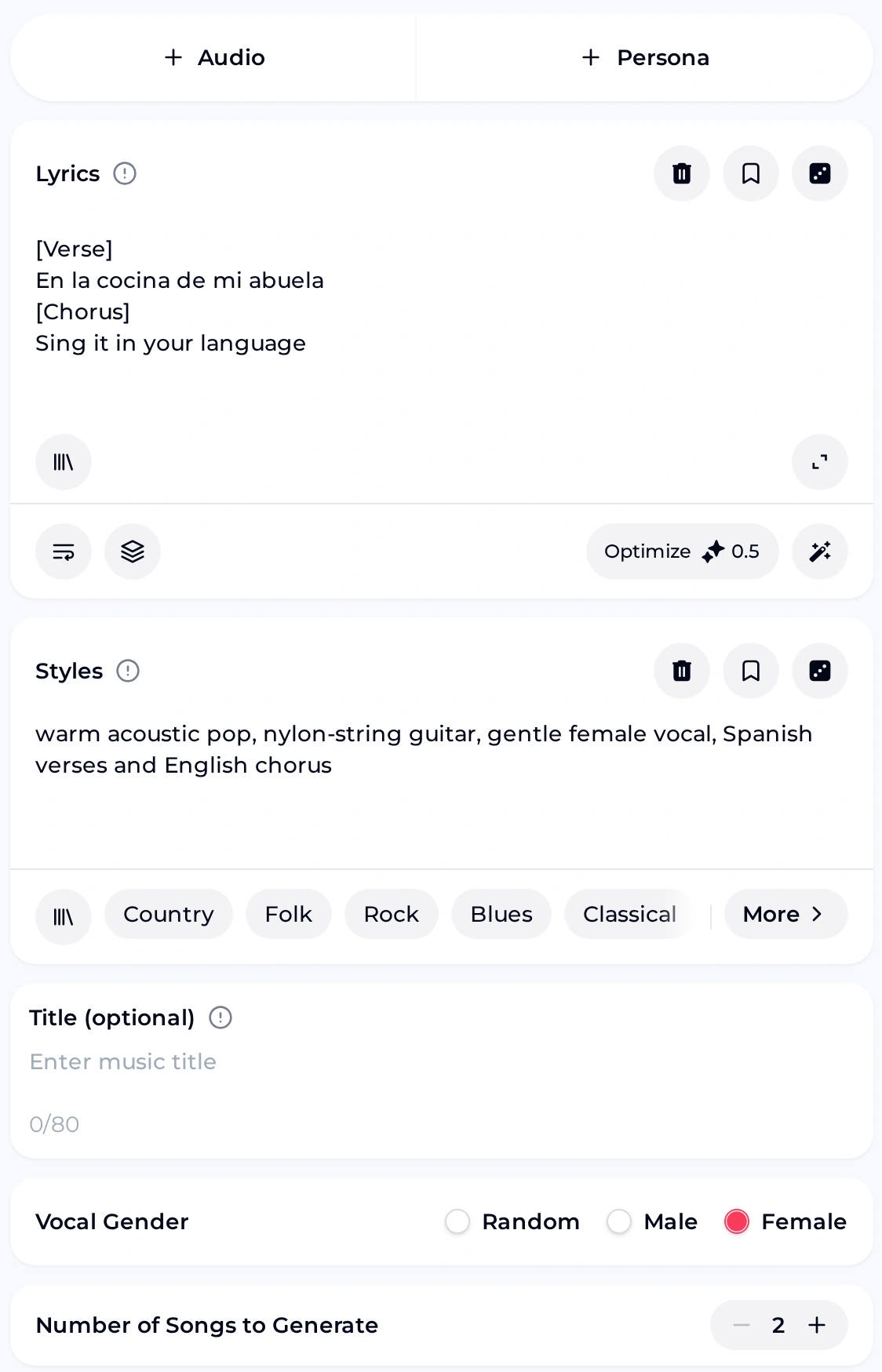
OpenMusic AI music generator from lyrics, Own Lyrics tab with a Spanish verse and an English chorus in the Lyrics box, acoustic pop in Styles and a Female vocal

2. Make the song

Open the AI Music Generator and choose the Own Lyrics tab, which works as an AI music generator from lyrics. Paste the finished lyrics with section tags such as [Verse] and [Chorus], and describe the music in Styles.

Pick a Vocal Gender, leave Number of Songs to Generate at 2 and generate. The AI music generator from lyrics uses the text you paste as the lyrics, so fix spelling before you press the button.

Plan the languages

Language Pairings and What to Write

Choose what each half of the song carries. Verses hold the detail and the family language; the chorus holds the hook everyone can sing. These starters use languages from the Language dropdown.

Song ideaVersesChorus
LanguageWrite aboutLanguageStyle words
Grandmother's birthdaySpanishHer kitchen, her radio, her villageEnglishwarm acoustic pop, nylon-string guitar
Letters from abroadFrenchThe city you left, Sunday lettersEnglishfolk pop, accordion, brushed drums
Bedtime songKoreanNight sounds, a stuffed toy, tomorrowEnglishsoft lullaby, piano, quiet vocal
Family reunionVietnameseThe long table, cousins, old photosEnglishupbeat pop, handclaps, group chorus

Keep the chorus short and in simple English if some listeners do not speak the verse language. For a softer, guitar-led feel, the Folk Music Generator and Acoustic Music Generator are other starting points.

Next step

Turn Your Family Lyrics Into Music

Paste your verses and English chorus into Own Lyrics in the AI music generator from lyrics, describe the style, choose a voice and listen to two takes side by side before you share one.

Open the Generator
Listen

Two Bilingual Songs From Written Lyrics

We wrote two sets of lyrics, each with a style brief, and ran them through the AI music generator from lyrics. The briefs are below; judge for yourself how close each take comes and how each language is sung.

Song 1  Sing It in Your Language
Verses  Spanish   En la cocina de mi abuela...
Chorus  English   Sing it in your language / I will sing it back in mine
Style   warm acoustic pop, 92 BPM, nylon-string guitar, gentle female vocal

Song 2  Letters Home
Verses  French    J'ai laissé ma ville au bord de l'eau...
Chorus  English   Letters home, letters home / Every line says I'm not alone
Style   folk pop, 100 BPM, acoustic guitar, accordion, warm male vocal

Sing It in Your Language

Spanish verses about a grandmother's kitchen, English chorus. Female vocal. 2:29.

Letters Home

French verses about moving away, English chorus. Male vocal. 2:29.

Before you share

Questions to Answer Before You Generate

A bilingual song is personal, so a careful read-through with family before you open the AI music generator from lyrics saves an awkward moment at the party.

  1. Has a native speaker read the verses? Ask a relative to read the lyrics aloud before you paste them into the AI music generator from lyrics; it catches spelling and grammar slips.
  2. Will the pronunciation pass? Listen to both takes with that speaker. If a word is sung oddly, try a simpler word, or generate again.
  3. Are accents and special letters typed correctly? Paste from a document that already shows é, ñ or Korean characters properly.
  4. Is the chorus easy for everyone? Four short English lines that repeat work for guests who only know one language.
  5. Does everyone named agree? Ask before sharing a song that uses a person's name, story or photo outside the family.
FAQ

AI Music Generator From Lyrics FAQ for Bilingual Songs

01 Can I mix two languages in one song?

Yes, you can type any mix of languages into the Lyrics box, because the AI music generator from lyrics uses the text you paste as the lyrics. Keep each section in one language, for example Spanish verses and an English chorus, rather than switching mid-line.

How well each language is sung can vary between takes, so listen to both with someone who speaks the verse language before you pick one.

02 Is there a free way to try it?

You get free credits after a quick sign-up: the free plan includes 30 credits a year, which is 15 song generations at 2 credits each.

That is enough to try a few bilingual drafts in the AI music generator from lyrics, compare pairings and find a style your family likes. Spend the first credits on a short song with a four-line chorus, then build a longer version once the words feel right.

03 Can we download the song for the party?

Paid plans can download MP3, WAV and FLAC, including songs made on the free plan once you upgrade to any paid plan.

Before the event, play the chosen take all the way through on the speaker you will use. Check that the volume suits the room and that the English chorus comes in where you expect, so guests know when to join in and nobody is caught out.

04 Can I post or sell the song?

Monthly and yearly plans both let you use your songs commercially within the scope of the Commercial License. Monthly plans pay 5 credits per song for the licence certificate; yearly plans pay nothing extra.

You can buy Pay Once one-time credits. They do not include the licence automatically, but you can spend 5 credits per song to get it. Ask relatives before posting lyrics about them.

05 What happens to credits I do not use?

Monthly and yearly plans add credits every month, and unused credits reset on your renewal date. If a generation fails, the credits usually come back automatically.

If you are writing for a date such as a birthday or reunion, plan your drafts across the month. Use early credits to test the pairing and the style, and save a few for the final version once a native speaker has checked the lyrics.

06 Should I write the lyrics myself or use the lyrics tool?

Either works. If you already have lines in both languages, paste them straight into Own Lyrics in the AI music generator from lyrics. If you only have notes, the AI Lyrics Generator can shape a first draft with its Language setting.

Treat any draft as a starting point. Swap in the phrases your family actually says, because those personal words make a bilingual song feel like yours, and recheck the spelling after every edit.
Sing It in Both Languages

Open the AI music generator from lyrics, paste your home-language verses and English chorus, and choose the take your family sings along to.

Make the Song