AI Music Generation

One style line, a whole set of tracks that sound like you. Small businesses rarely need one song; they need a video bed, a short sung tagline and a version for the holidays, and they need all of it to match. Use AI music generation to write your shop's sound once, then reuse it for every track so customers recognise you before they see the logo.

Open the Generator
"bright ukulele pop, 120 BPM, handclaps, whistle hook""retro 1960s swing, big band brass, finger snaps""warm acoustic folk, soft piano, calm morning feel""cheerful glockenspiel and ukulele bed, no vocals""bright ukulele pop, 120 BPM, handclaps, whistle hook""retro 1960s swing, big band brass, finger snaps""warm acoustic folk, soft piano, calm morning feel""cheerful glockenspiel and ukulele bed, no vocals"
The kit

What Goes Into a Small-Business Sound Kit

A sound kit is a short list of tracks that share one style, each built for a job. Plan the kit before you start any AI music generation, so every track you make has a place to go and nothing ends up as a one-off that clashes with the rest.

The signature bed

An AI music generation instrumental in your house style for product videos, reels and your website. Switch Instrumental Only on so nothing competes with your voice-over.

The sung tagline

A short hook that sings your shop's name. Write the lines yourself in Own Lyrics, keep them to a verse and a chorus, and reuse the same style line as the bed.

The seasonal version

The same tagline in a different style for holidays, sales or evening events, so the kit can change mood without losing its identity.

The style sheet

A text note with your style line, the words you always exclude and the titles you used. It keeps the kit consistent when you add tracks months later.

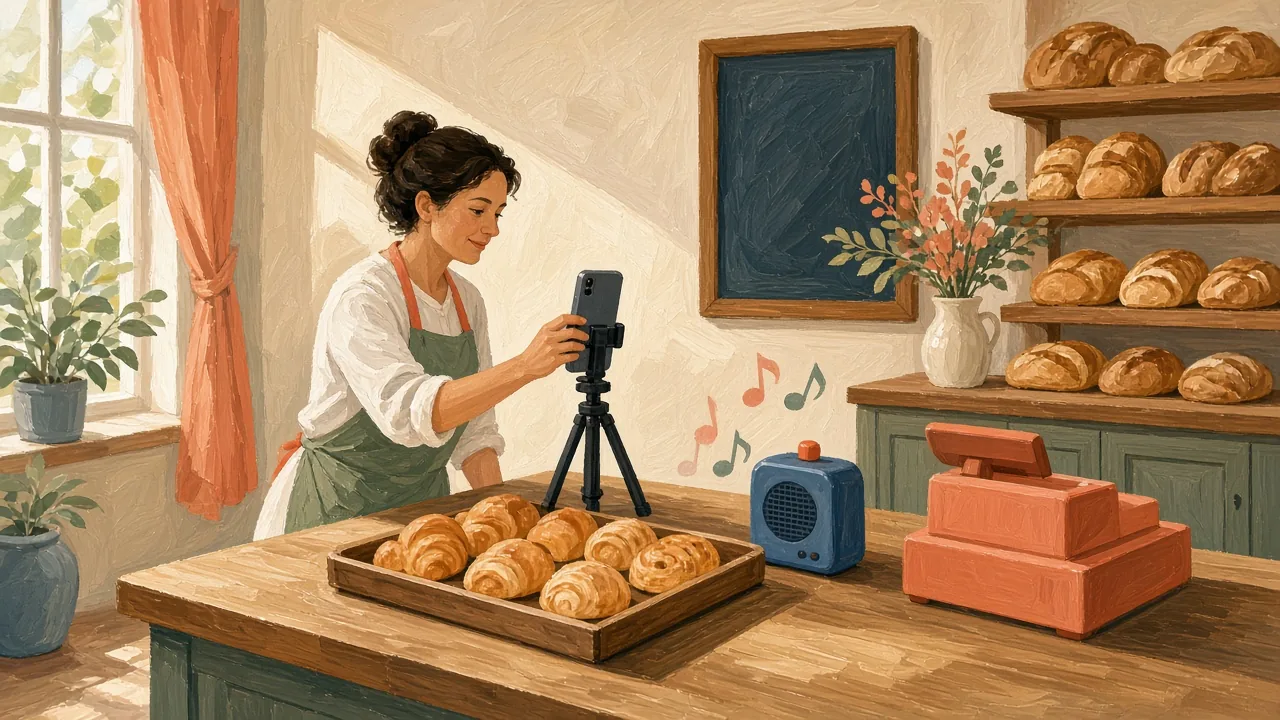
Gouache painting of a bakery owner filming a tray of pastries on a phone tripod at the counter, with a small speaker beside the till
Why it matters

What Small Businesses Say About Music

Before they try AI music generation, owners ask the same two things again and again: where to get good music for short ads, and how to use music without breaking the rules. Here is what two of them wrote, and how a generated sound kit fits each situation honestly.

we both agree we want to try and make some higher quality ads for things like TikTok and Facebook shorts— r/smallbusiness user, handmade jewellery shop

A signature bed and a sung tagline from AI music generation in one style give every short ad the same sound, and each track can be used within the scope of the Commercial License.

want to play music - but have just learned you cannot play Spotify in public settings. I would like to do things right.— r/smallbusiness user, small clinic

AI music generation gives you tracks made for your business. Playing any music in a public space can still fall under local public-performance rules, so check those where you trade.

In the generator

Writing the Style Line That Holds the Kit Together

Your style line is the one sentence every track in the kit shares: genre, tempo, a few instruments and a mood. Keep it short and concrete, save it in your style sheet, and paste it unchanged into each run of AI music generation so the tracks feel related.

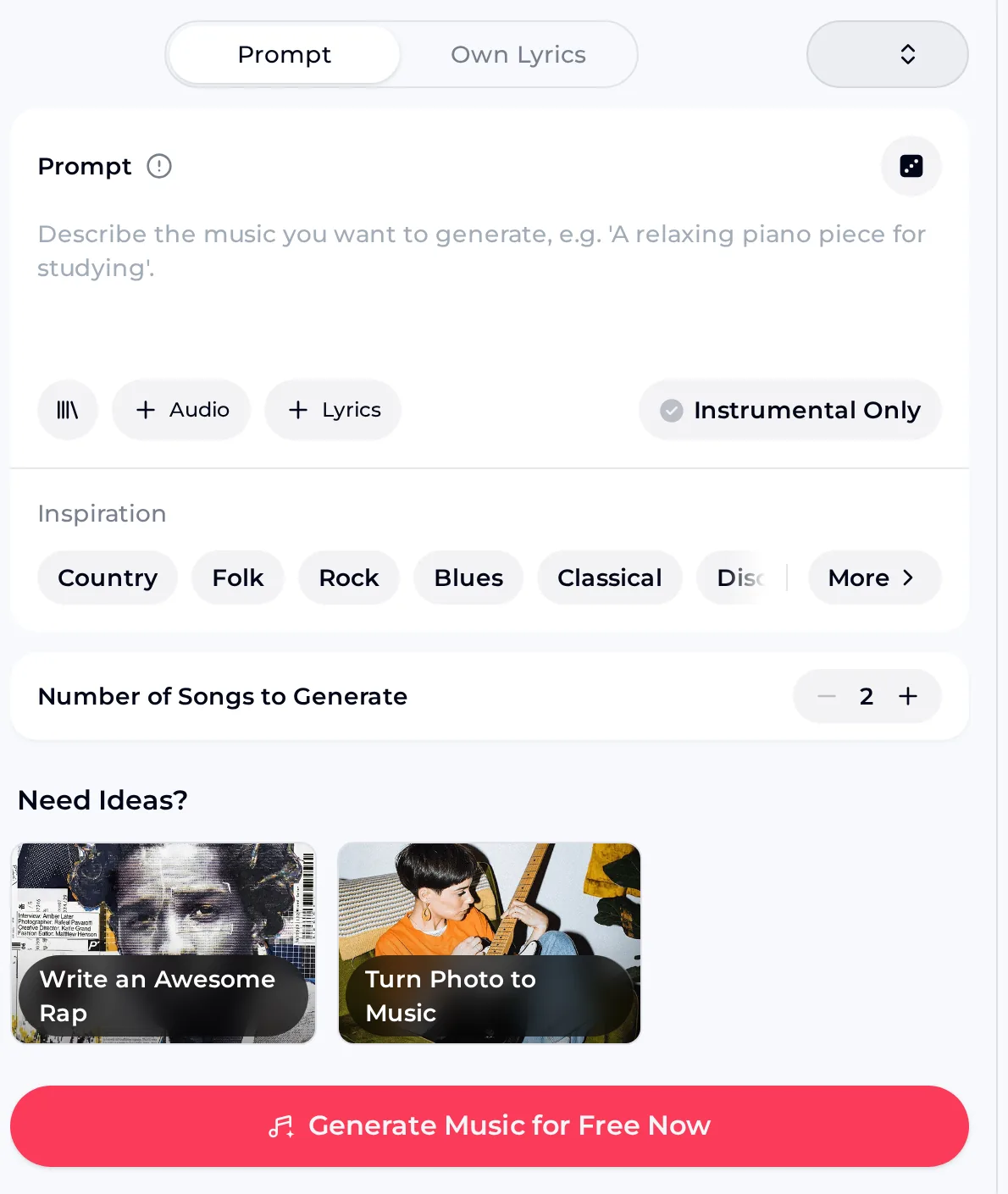
OpenMusic AI Music Generator for AI music generation, with Prompt and Own Lyrics modes, an Instrumental Only switch and a Number of Songs to Generate counter
The OpenMusic AI Music Generator handles AI music generation from a prompt or your own lyrics, including instrumental tracks and more than one song.

Choices that keep tracks consistent

  • Prompt for the bed: paste the style line and switch Instrumental Only on.
  • Own Lyrics for the tagline: put the style line in Styles and your shop's lines in Lyrics.
  • Exclude styles: under Advanced, list what never fits your brand, such as heavy metal or trap.
  • Number of songs: generate more than one take and keep the closest match.
Kit sizes

How Big Your AI Music Generation Kit Should Be

Start small with AI music generation and grow the kit when you need it. Each generation costs 2 credits, and the 30 free credits a year after a quick sign-up cover 15 generations, which is enough to build and test a starter kit before you choose a plan.

Starter kit

One signature bed and one sung tagline. Budget about two generations for each.

Full kit

Add a short bed for reels and a second tagline take. Around eight generations in total.

Seasonal kit

Add one or two seasonal versions of the tagline. Plan them a month ahead of the date.

Listen

One Bakery, One Style, Three Tracks

These AI music generation sample clips show a kit for a fictional bakery. The bed and the first tagline share a bright ukulele pop style; the third track keeps the same lyric but swaps in a retro swing style, the kind of change you would make for a holiday campaign.

Signature bed: "bright ukulele pop instrumental, 120 BPM, handclaps, light whistle melody, glockenspiel".
Sample clip, about one minute
Sung tagline: "Pip's Corner Bakery, fresh every day" in bright ukulele pop with a cheerful female vocal.
Sample clip, about 20 seconds
Seasonal version: the same lyric in retro 1960s swing, big band brass and a smooth male crooner.
Sample clip, about 20 seconds
Next step

Write Your Shop's Style Line

Turn one sentence about your brand into a matching bed and tagline with AI music generation, starting with free credits after a quick sign-up.

Start Your Kit
Routine

Build the Kit in Four Steps

Work through the kit in this order so each round of AI music generation builds on the last. The bed sets the sound, the tagline carries your name, and the seasonal version proves the kit can change mood while still sounding like the same business.

  1. 1

    Write the style line and generate the instrumental bed.

  2. 2

    Keep the best take and note its title in your style sheet.

  3. 3

    Use Style & Lyrics on it, add your tagline and generate.

  4. 4

    Swap only the style words for the seasonal version.

Tips

Keeping AI Music Generation On-Brand

Consistency is the whole point of a kit, and it is easy to lose one run at a time. These habits keep every new track close to the sound customers already know, even when someone else on the team makes it.

Name your tracks

Give each track a title that says its job, such as "bed - spring" or "tagline - swing". Your workspace then reads like a kit instead of a pile of drafts.

Keep taglines short

A verse and a chorus is plenty. Short lyrics are easier to sing clearly, and the shop name lands more often in a twenty-second clip.

Change one thing at a time

When a new version is needed, change only the style words or only the lyrics, never both. That way the new track still sounds like part of the same set.

Other routes

When a Different Tool Fits Better

AI music generation covers most of a kit, but three related tools handle specific jobs more directly. Pick the one that matches the track you are missing rather than forcing the generator to do it.

FAQ

Brand Sound Kit Questions

Rights

Can I use the kit in ads and videos?

Yes, within the scope of the Commercial License. On monthly plans and Pay Once credits, a license certificate costs 5 credits per song; annual plans charge nothing extra. Download the song files and certificates while your membership is active, because licenses you have already received stay valid after you cancel. Keep the certificates with your style sheet so the whole kit is documented in one place.

Does it cover music played in my shop?

The Commercial License covers how you use the tracks you generate. Whether playing any music aloud in a public venue needs a separate public-performance licence depends on the rules where you trade, so check with the local body before you build a shop playlist around the kit. For ads, product videos, your website and social clips, the Commercial License is what matters for tracks made with AI music generation.

Sound

How do I keep later tracks matching?

Save your style line, the words you put in Exclude styles and the titles you used in a style sheet, and paste them unchanged into every new run. On a track you like, Use Style & Lyrics brings its style and lyrics back into the generator, so a new version starts from the same place. Change one thing at a time, either the style words or the lyrics, and generate more than one take to choose from.

Can I make a version without singing?

Yes, in two ways. For a new instrumental from AI music generation in the same style, run the style line with Instrumental Only switched on. For a words-free version of a tagline you already like, with the same tune, use the AI Vocal Remover, which splits a song into a vocal track and an instrumental track. The second option is the better choice when customers already know the melody from your ads.

Credits

How much does a starter kit use?

Each AI music generation costs 2 credits. A starter kit of one bed and one tagline, with about two generations for each, uses around 8 credits. The free plan gives 30 credits a year after a quick sign-up, which covers 15 generations, so you can build and test a starter kit before choosing a plan. Failed generations are usually credited back automatically, so a technical failure does not eat into that budget.

Can I download the files in good quality?

Paid plans can download MP3, WAV and FLAC, and songs you made earlier on the free plan can be downloaded once you upgrade to any paid plan. For a kit you plan to reuse in video edits, WAV or FLAC gives you a clean master copy, and MP3 is handy for quick social uploads. Download each finished track once it is final and keep it with your certificates.

Give Your Shop a Sound

Write one style line, use AI music generation for a matching bed and tagline, and start with free credits after a quick sign-up.

Generate Your Song